Best Cable Management Kits for Desks (2026)
Compare the best cable management kits for a home office desk in 2026: under-desk J-channel raceways, adhesive cable clips, and comprehensive cord organizer kits. Clear specs, practical picks.
In this guide
Affiliate Disclosure:
As an Amazon Associate I earn from qualifying purchases. Product images shown may be representative lifestyle photos unless official product images are available through an approved Amazon data source. We do not display live prices, ratings, or availability — check Amazon for current details.
In this guide
Who this guide is for
This guide is for remote workers and home office users who want to reduce cable clutter on or under a desk. It covers under-desk J-channel cable raceways that mount on the desk underside, self-adhesive cable clips that route cables along surfaces, and comprehensive cable management kits that bundle multiple components. All products are installed without professional tools and are available on Amazon.
For a broader look at desk workspace tools, see the Work From Home hub or the desk accessories guide for organizers and monitor lights.
How we chose
We research, compare, and explain products based on use cases, specifications, public product information, and buyer needs. For this guide, we focused on cable management products with clear installation methods (self-adhesive), verified dimensions and cable capacity, and suitability for a home office desk environment. Products were verified on Amazon.com. We did not test units in person for this guide.
5 things to know before buying cable management
Match the product type to the problem. Cable clips are useful for keeping individual cables along a fixed path (like behind a monitor stand or along a desk edge). J-channel raceways are better for routing multiple cables together out of sight under a desk. A full kit with multiple component types handles both surface and under-desk routing.
Measure the cable run before buying. J-channel raceways are sold in set lengths (for example, 4 pieces at 15.7 inches each = 62.8 inches total). Measure the cable path from your power strip to the desk edge to confirm the raceway length covers the full run before ordering.
Adhesive sets fully after 24 hours. Most self-adhesive cable management products use pressure-sensitive adhesive that reaches full strength after 24 hours. Install the raceway or clips, then wait before loading cables to allow the adhesive to bond to the surface.
Consider the surface material. Self-adhesive backing works best on smooth, clean surfaces — painted wood, laminate, or powder-coated metal desk undersides. Rough, textured, or porous surfaces hold adhesive less reliably. Clean the surface with a dry cloth before installation.
Bundle capacity depends on channel width. A standard J-channel about 1 inch wide holds 4 to 6 standard cables. If you need to route more cables — power brick, monitor, USB hub, laptop adapter, and speakers — consider a wider channel or a two-channel configuration side by side.
Cable management comparison
Product | Model & variant | Choosing |
|---|---|---|
OHill adhesive cable clips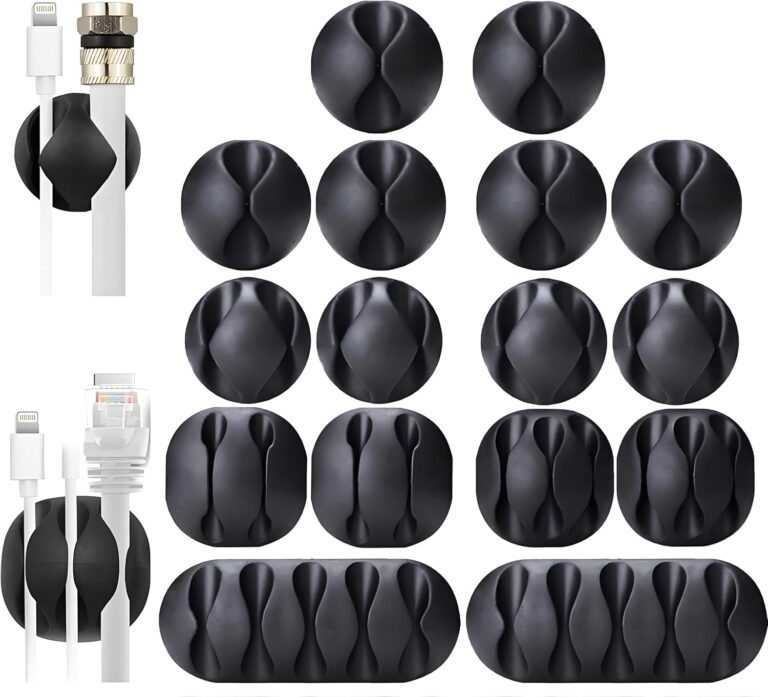 | 16-Pack Cable Clips Black / 16 clips | Check the clip openings against your cable diameters and the adhesive requirements for the surface. Adhesive mounting should not be treated as a load-bearing support for heavy power supplies. |
Delamu J-channel cable raceways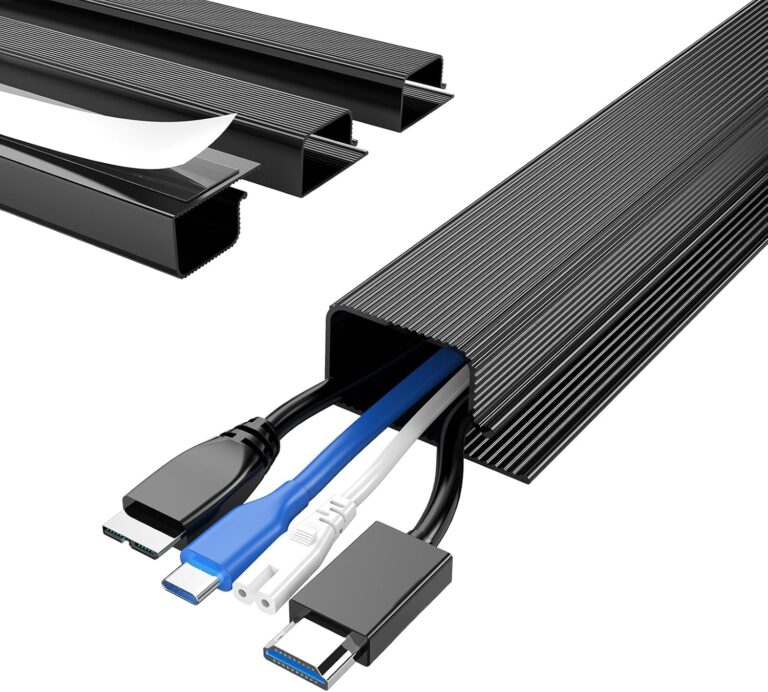 Objects shown to illustrate use are not a statement of included accessories; see the model and variant details. | 4-Pack J-Channel Black / four sections / 62.8 in total | Check the available mounting surface and cable bundle thickness. Route cables so the channel does not pinch them when equipment or an adjustable desk moves. |
EVEO desk cable-management kit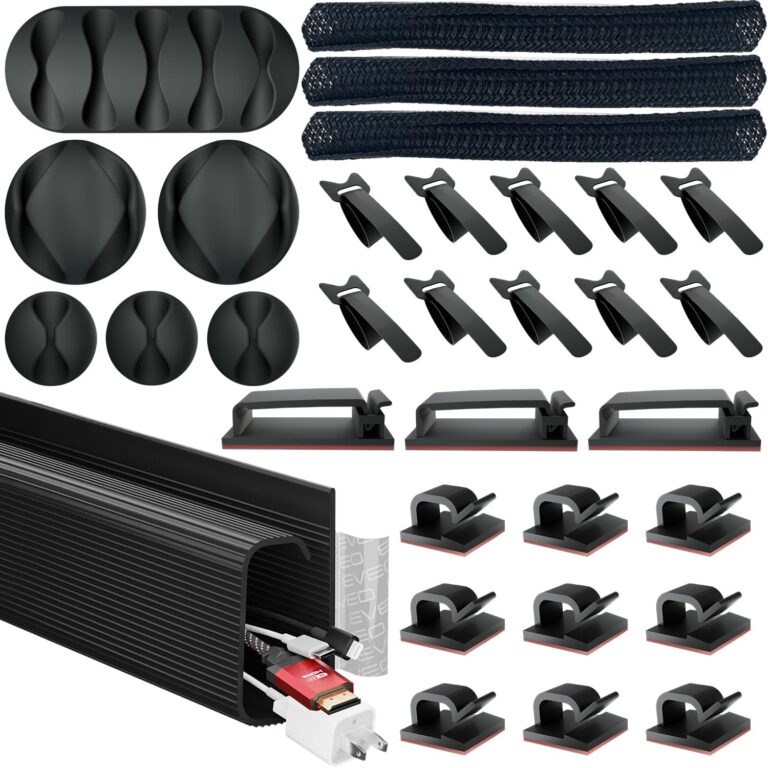 | Desk Cable Management Kit Black / raceway, sleeve and clips | Check the supplied lengths and mounting method against your desk. Plan access to disconnect devices and avoid enclosing power adapters where heat cannot escape. |
Our top picks
Objects shown to illustrate use are not a statement of included accessories; see the model and variant details.
Delamu J-channel cable raceways
A black four-piece J-channel cable-management set for a desk. The listed combined length is 62.8 inches; separate sections let you divide the routing around the underside of the desk.
Variant: Black / four sections / 62.8 in total
Check the available mounting surface and cable bundle thickness. Route cables so the channel does not pinch them when equipment or an adjustable desk moves.
View product details →View on AmazonEVEO desk cable-management kit
A desk cable-management kit combining a raceway, a sleeve and adhesive clips. The different pieces address routing along the desk and gathering loose leads into a bundle.
Variant: Black / raceway, sleeve and clips
Check the supplied lengths and mounting method against your desk. Plan access to disconnect devices and avoid enclosing power adapters where heat cannot escape.
View product details →View on AmazonOHill adhesive cable clips
A pack of 16 black adhesive cable clips for keeping charging and peripheral leads within reach. Individual clips let you choose their spacing rather than using one fixed cable channel.
Variant: Black / 16 clips
Check the clip openings against your cable diameters and the adhesive requirements for the surface. Adhesive mounting should not be treated as a load-bearing support for heavy power supplies.
View product details →View on AmazonBuyer's guide: what to look for in cable management
Under-desk raceways vs. surface clips
The right product depends on where the cables are and where you want them to go. Under-desk raceways hide cables that run horizontally under the desk — from a monitor cable coming over the back of the desk to a power strip on the floor. Surface clips guide individual cables along a path — from a desk surface to a monitor stand, or along the back edge of the desk. Many setups benefit from both: a raceway under the desk and clips on the desk surface for shorter runs.
Cable sleeves
A cable sleeve is a flexible tube — usually braided neoprene or split corrugated plastic — that bundles multiple cables into a single neat run. It is most useful where cables need to drop from the desk edge to the floor (the most visible cable section), or where cables run behind a desk along a vertical surface. Sleeves are not self-adhesive and require some anchor points (clips or ties) to hold the bundle position.
Installation considerations
Self-adhesive products adhere best to clean, smooth, dry surfaces. Laminate desk undersides, powder-coated metal frames, and smooth painted surfaces are ideal. Very rough, textured, or porous surfaces may not hold the adhesive reliably. Plan the cable route before installing — it is harder to reposition a fully loaded raceway than an empty one.
How many cables to expect
A typical home office desk might have: laptop power adapter, monitor power cord, monitor cable (HDMI/DisplayPort), USB hub cable, desk lamp power cord, and one or two phone/device charging cables — roughly 4 to 7 cables depending on the setup. A single 62.8-inch J-channel can manage this bundle across a standard desk width. For a dual-monitor setup, expect 2 to 4 additional cables and plan accordingly.
Frequently asked questions
What is a J-channel cable raceway and how does it work?
A J-channel cable raceway is a plastic channel shaped like the letter J that attaches to a surface — usually the underside of a desk — and holds cables inside the channel out of sight. Most under-desk J-channel raceways use a self-adhesive backing to mount without screws. Cables are laid into the open top of the channel and grouped together, keeping them off the floor and away from the visible desk surface.
What is the difference between cable clips and a cable raceway?
Cable clips are small adhesive-backed clips that hold a single cable against a surface at a fixed point. They guide cables along a path but leave them partially visible. A cable raceway is a channel or tube that fully encloses multiple cables and hides them from view. Clips are simpler to install and work well for short cable runs; raceways are better for hiding a bundle of cables across a longer distance under a desk.
How do I install a self-adhesive under-desk cable raceway?
Clean and dry the mounting surface first to ensure adhesion. Peel the backing from the adhesive strip on the raceway, press it firmly against the underside of the desk for 30 to 60 seconds, and allow it to set for at least 24 hours before placing cables inside. Most manufacturers recommend waiting the full 24 hours for the adhesive to reach full strength before loading the channel with cables.
How many cables can fit in a J-channel cable raceway?
The capacity depends on the channel width. A standard J-channel raceway with a channel opening around 1 inch wide typically holds 3 to 5 standard cables side by side — a power cord, monitor cable, USB hub cable, and similar. Thinner cables like USB charging cables can be bundled in groups of 4 to 6. Check the channel’s interior dimensions against the cable diameters you plan to route through it.
Can cable management kits be removed without damaging the surface?
Self-adhesive cable raceways and clips can usually be removed by peeling slowly from one end. Most leave minimal or no residue on smooth surfaces like desk undersides or painted walls. However, results depend on the surface finish — rough, painted drywall or unfinished wood may show some adhesive residue. Test on an inconspicuous area first if the mounting surface is delicate.