Best Smart Locks: Keypad, App & Fingerprint — Which One Is Right for You?
Find the best smart lock for your home — keypad, app-controlled, fingerprint, or all three. Guide covers renters vs homeowners, battery life, compatibility, and security.
In this guide
Affiliate Disclosure:
As an Amazon Associate I earn from qualifying purchases. Product images shown may be representative lifestyle photos unless official product images are available through an approved Amazon data source. We do not display live prices, ratings, or availability.
What Smart Locks Actually Do — and Why They're One of the Best First Upgrades
A smart lock replaces your traditional deadbolt (or works alongside it) and lets you control access to your home without a physical key. You can unlock your door with a PIN code, your smartphone, a fingerprint, or even just your proximity — and lock it automatically when you leave. You can give family members, housekeepers, or Airbnb guests their own temporary codes that expire automatically. You can see a log of every time the door was unlocked and by whom.
Unlike many smart home upgrades that are “nice to have,” a smart lock solves a real, recurring problem most homeowners face: keys. Lost keys, copied keys, keys under the mat, the nagging uncertainty of “did I lock the door?” A smart lock eliminates all of those worries. That’s why we consistently recommend it as one of the first smart home upgrades worth making — even for people who aren’t interested in building a broader smart home ecosystem.
Renter vs Homeowner: Very Different Situations
Your living situation fundamentally shapes which smart lock options are available to you.
Homeowners
Homeowners have full flexibility. You can replace your existing deadbolt entirely, choose any form factor, and install a lock with or without a keyhole. Full deadbolt replacements give you the cleanest integration — one device that handles everything — and you can choose locks with the highest ANSI security ratings and the widest ecosystem compatibility.
Renters
Renters have two realistic options. First: retrofit adapters like the August Smart Lock series, which clamp onto the inside of your existing deadbolt thumbturn without replacing anything. The exterior of the door looks completely unchanged; you still use a physical key from outside, but the inside is smart. These take the lock with you when you move and leave zero trace. Second: full deadbolt replacements with landlord permission — keep the original deadbolt, reinstall it when you leave, and you’re good.
Check your door before buying:
Smart locks require specific deadbolt sizes and door thickness compatibility. Most standard US doors with a 1-inch deadbolt backset are compatible, but always verify the manufacturer's compatibility checker with your exact door measurements before purchasing.
Lock Types: Which Entry Method Is Right for Your Household?
Keypad (PIN code)
The most popular and universally useful feature. Keypad locks let you unlock with a numeric code — no phone, no key required. They’re especially practical for households with children who might lose keys, for sharing access with guests without making copies, and for anyone who frequently has their hands full when arriving home. Most modern keypads are capacitive touch (no physical buttons to wear out) and backlit for nighttime use.
App-controlled (Bluetooth / WiFi / Z-Wave)
App control lets you lock and unlock from your smartphone, check lock status remotely, receive entry notifications, and manage access codes for multiple users. Bluetooth-based app control works when your phone is nearby; WiFi or a bridge/hub extends that to true remote control from anywhere. If remote access is important to you, verify whether the lock includes WiFi built in or requires a separate bridge purchase.
Fingerprint / biometric
Fingerprint locks are fast, hands-free, and eliminate the need to remember codes — ideal for kids and frequent visitors. Modern fingerprint readers store fingerprints locally (not in the cloud) and are accurate and fast under normal conditions. They can struggle with wet, very cold, or dry hands. If your household includes young children, elderly family members, or frequent manual laborers, test the fingerprint accuracy before committing.
Auto-lock
Not a separate product but a critical feature to look for: auto-lock automatically relocks the door after a set interval (30 seconds, 1 minute, etc.). This eliminates the most common smart lock complaint — “we forgot to lock the door.” Virtually all smart locks include auto-lock, but verify it’s supported before buying.
Battery Life: What "6–12 Months" Actually Means in Practice
Smart lock manufacturers quote battery life under ideal conditions — typically 10–15 locking/unlocking cycles per day at room temperature. Your real-world experience will vary. High traffic (a family of 5 in and out multiple times a day) can drain batteries significantly faster than the rated estimate. Cold climates also reduce battery performance — a lock rated for 12 months can drain in 4–5 months in freezing temperatures.
Most smart locks use standard AA batteries (4–8 cells), which are cheap and universally available. Some newer models use rechargeable built-in batteries — convenient but a problem if the battery eventually degrades and needs manufacturer service. AA-battery models are generally more practical for long-term ownership.
What happens when the battery dies?
Good smart locks have three layers of protection: (1) app notifications when battery is low (usually at 20%), (2) a low-battery warning on the keypad itself, and (3) an emergency external power option — most locks have a USB-C or micro-USB port on the exterior where you can touch a power bank to the terminals and get enough juice to enter a code and get inside. Never buy a smart lock that doesn’t have this emergency power feature.
Compatibility: What to Check Before You Buy
Smart lock connectivity comes in several flavors, each with different implications for how your lock fits into your smart home:
Bluetooth: Direct phone-to-lock communication. Fast, local, works without internet. Limited to when your phone is in range (typically 30 feet). Best for basic app control without hub dependency.
WiFi (built-in): Lock connects directly to your home WiFi, enabling true remote access without any bridge. Convenient but uses more battery than Bluetooth or Z-Wave.
Z-Wave: Low-power radio protocol that requires a compatible hub (SmartThings, Hubitat, Ring Alarm). More reliable than WiFi for battery life, and enables rich automation. Great for users already building a Z-Wave/Zigbee smart home.
Zigbee: Similar to Z-Wave — hub required, low battery drain, good range. Fewer smart lock models use Zigbee compared to Z-Wave.
Thread/Matter: The emerging standard. Thread is a low-power mesh protocol; Matter is the application layer on top. Smart locks with Matter support can work across Alexa, Google Home, and Apple HomeKit without ecosystem-specific bridges. Still relatively new but growing fast in 2026.
For most buyers: a Bluetooth + WiFi lock (or a Bluetooth lock + optional WiFi bridge) is the simplest setup. For buyers building a broader Z-Wave smart home, a Z-Wave lock integrates more deeply.
Security: Is Your Smart Lock Actually Secure?
The physical security of a smart lock matters as much as its wireless security. Here’s how to evaluate both:
ANSI/BHMA Grade ratings
ANSI Grade 1 is the highest residential security rating — it means the deadbolt has passed tests for 250,000 cycles, 10 door strikes, and significant forced-entry resistance. Grade 2 is mid-level; Grade 3 is the lowest. Most reputable smart lock brands (Schlage, Yale, Kwikset) offer Grade 1 or Grade 2 options. Never buy a smart lock that doesn’t disclose its ANSI grade.
Anti-pick and anti-bump resistance
Schlage in particular has a strong reputation for anti-pick and anti-bump pin configurations. If physical security is a primary concern (not just the convenience angle), Schlage’s Encode or Connect lines are worth the premium. Yale and August are generally solid but historically prioritize convenience over maximum physical security.
Wireless encryption
Reputable manufacturers use AES-128 or AES-256 encryption for Bluetooth and Z-Wave communications. This makes wireless interception attacks extremely difficult. Avoid no-name brands that don’t disclose their encryption standards — an unencrypted smart lock is worse than a traditional deadbolt because it adds a wireless attack surface without the security benefit.
Installation: Is It DIY-Friendly?
Most smart lock deadbolt replacements are genuinely DIY-friendly for a standard US door. The typical installation involves removing your existing deadbolt (two screws on the interior plate), inserting the new lock mechanism through the door, attaching the interior assembly, and connecting the wiring harness between the battery pack and the lock motor. A Phillips head screwdriver is usually all you need. Total time: 15–30 minutes.
Common pitfalls: door edge holes that are too small for the new lock’s bolt diameter (older doors sometimes have 5/8-inch holes where 1-inch is now standard), strike plates that don’t align with the new bolt position, and glass doors or very thin doors that aren’t compatible with standard deadbolts at all.
Retrofit adapters (like August) are even simpler — they clamp onto your existing thumbturn without any tools in most cases. If the idea of removing a deadbolt is intimidating, start there.
Smart Lock Type Comparison
Lock Type | Renter-Friendly | Remote Access | Battery Life | Best For |
|---|---|---|---|---|
Retrofit (interior only) | Yes — no changes needed | With bridge add-on | 6–12 months | Renters, apartment dwellers |
Keypad deadbolt | With landlord permission | With WiFi or hub | 9–12 months | Families, frequent guests, Airbnb |
Fingerprint + keypad | With landlord permission | With WiFi built-in | 6–9 months | High-traffic households, kids |
Z-Wave deadbolt | With landlord permission | Yes (via hub) | 12–18 months | Smart home builders, Z-Wave users |
Our Top Picks for 2026
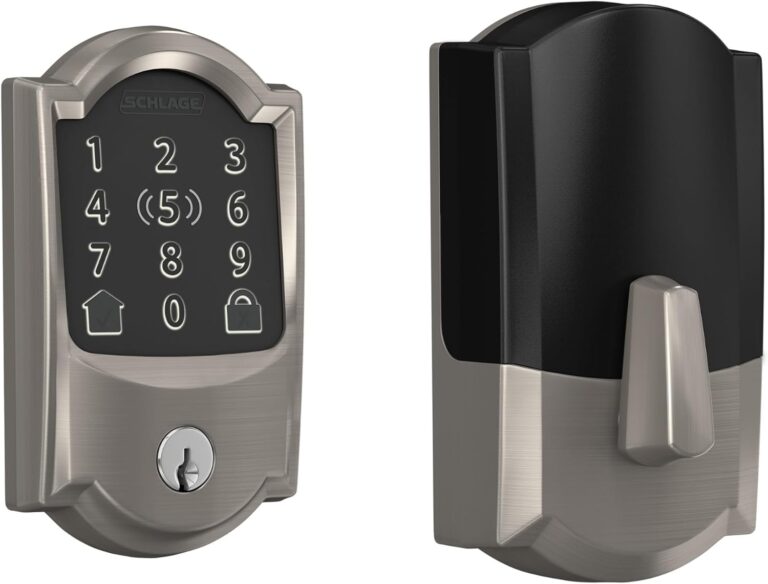
Schlage Encode Plus, Camelot satin nickel
Encode Plus replaces a compatible deadbolt and provides a keypad and Apple home key support. This reference identifies Camelot trim in satin nickel, making the finish and door fit part of the choice.
Variant: Camelot; satin nickel 619; one deadbolt
Check door preparation, thickness and backset against the installation instructions. Apple home key requires compatible Apple devices; do not confuse Encode Plus with the standard Encode.
View product details →View on AmazonChoosing a smart lock: check the keypad, key access and connectivity separately
Decide whether you want physical buttons or a touchscreen, and whether you need a mechanical key as a backup. Then check the exact lock's door requirements and connectivity module against the system you plan to use — a family name alone does not establish Matter, HomeKit, Wi-Fi, Zigbee or Z-Wave support, and not every version of the same lock family supports the same protocols.
Compare a specific, documented version before relying on claims about access-code limits, remote-control features or ecosystem compatibility.
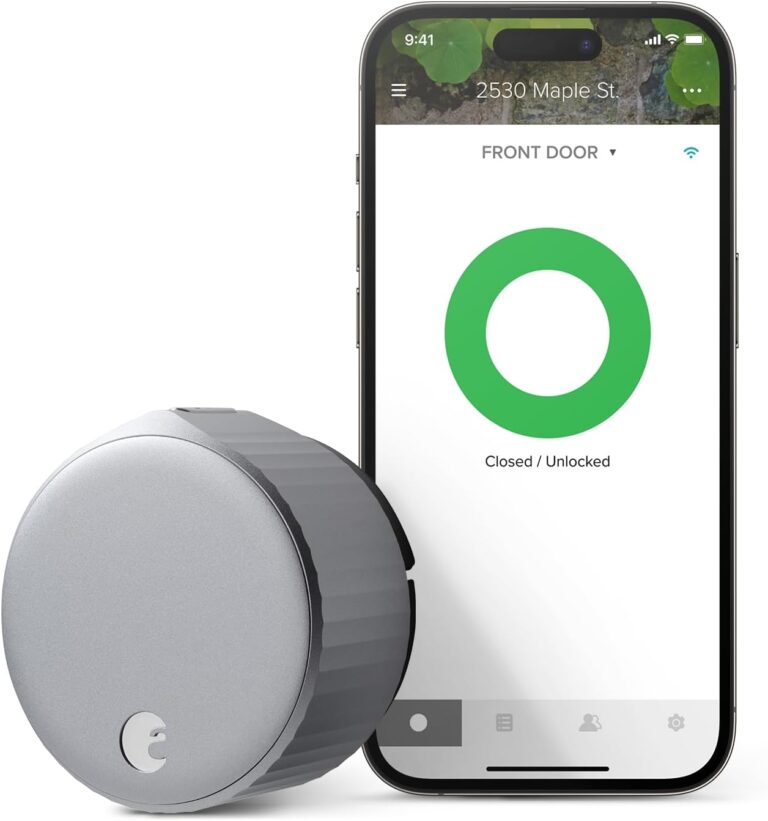
The phone illustrates the app and is not included.
August Wi-Fi Smart Lock, silver
This fourth-generation August lock replaces the interior thumbturn of a compatible deadbolt, retaining the exterior key cylinder. Built-in Wi-Fi avoids a separate August Connect bridge.
Variant: Silver; fourth generation; one lock
Verify deadbolt compatibility and interior clearance before ordering. This is a retrofit lock, not a replacement for every type of door lock or a kit with a keypad.
View product details →View on Amazon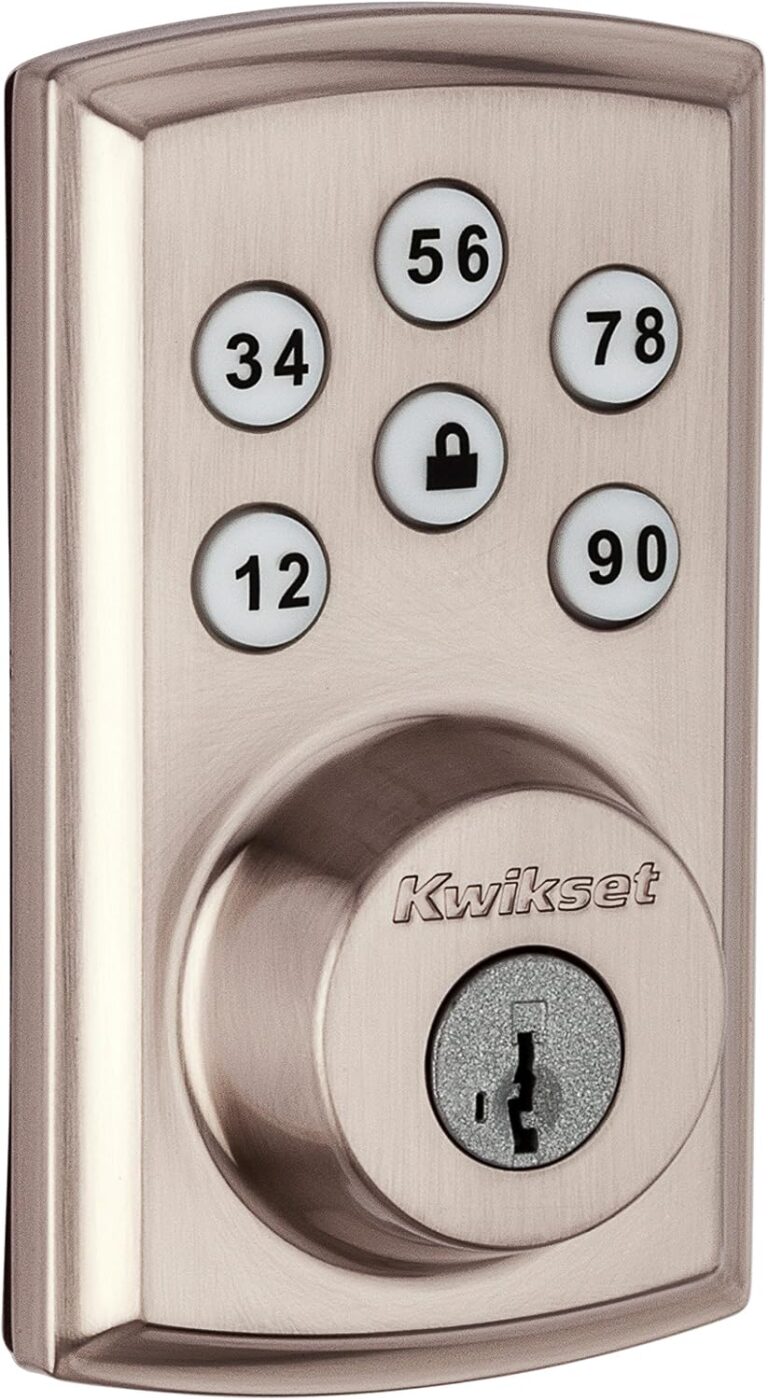
Model illustrated in Satin Nickel. This image does not select a commercial variant or define the contents of a kit.
Kwikset SmartCode 888
A motorized deadbolt with a keypad for people who want to use access codes instead of handing out a key. SmartCode 888 uses Z-Wave for connection to a compatible home automation controller; it is not a direct Wi-Fi lock.
Variant: Model information; finish and package not selected
Check the door preparation and the controller’s compatibility with the lock. Remote access depends on a suitable Z-Wave system. This model guide does not select a finish, sales package or ASIN; confirm those details before buying.
View product details →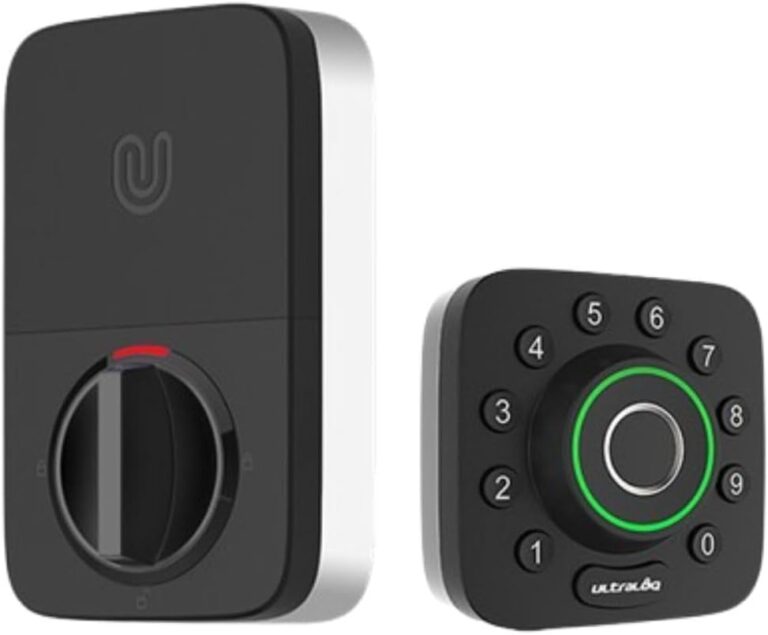
Model illustrated in black with silver edges. This image does not select a commercial variant or define the contents of a kit.
Ultraloq U-Bolt Pro WiFi
A fingerprint and keypad deadbolt with built-in Wi-Fi, intended for access management through the U home app. It offers fingerprint, PIN and physical-key entry, so using a phone is not the only way to open the door.
Variant: Model information; finish and package not selected
This page covers U-Bolt Pro WiFi, not U-Bolt Pro with a separate bridge or the newer Bolt Pro. Check door fit and Wi-Fi requirements in its installation instructions. Do not assume that Matter or Apple Home features of other ULTRALOQ models apply. Finish and package remain unselected.
View product details →Smart Locks: Honest Pros & Cons
Pros
Eliminates the anxiety of “did I lock the door?” — check and lock remotely from anywhere.
Keyless entry for everyone — no more lost keys or lockouts.
Temporary guest codes — give access to housekeepers, family, or guests and revoke it instantly.
Entry logs — know exactly when and by whom your door was unlocked.
Auto-lock ensures the door is never accidentally left open.
Cons
Battery maintenance required — you must stay ahead of low battery warnings.
Wireless attack surface — adds a new security dimension traditional locks don’t have.
Door compatibility — not every door works with every lock; compatibility research required.
Premium price — quality smart locks cost more than basic deadbolts.
App dependency — some features require keeping a manufacturer’s app installed and updated.
Frequently Asked Questions
Can I install a smart lock on a rental?
Yes — if you choose the right type. Retrofit smart locks attach to the inside of your existing deadbolt without replacing anything. The exterior is unchanged, and you take it with you when you move. If you want a full deadbolt replacement, you'll need landlord permission — and should keep the original deadbolt to reinstall before moving out.
Do smart locks work during power outages?
Smart locks run on batteries, not your home's electrical system — so a power outage doesn't affect them at all. They continue to work normally as long as the batteries are charged. WiFi connectivity may be lost during an outage, but local methods (keypad, fingerprint, physical key) will still work.
Are smart locks more secure than regular deadbolts?
A high-quality smart lock with an ANSI Grade 1 rating is at least as secure as a standard deadbolt, and often more so because of features like auto-lock, access logs, and temporary codes. The unique risk is the wireless attack surface — reputable manufacturers use AES-128 or AES-256 encryption, making wireless attacks extremely difficult in practice.
What happens if the WiFi goes down?
For most smart locks, losing WiFi doesn't mean losing access to your home. Local methods — keypad codes, fingerprint, Bluetooth, and physical key — continue working without internet. What you lose is remote access: you can't unlock from outside Bluetooth range or receive notifications until the connection is restored.
Can smart locks be hacked?
Theoretically yes — but in practice, smart lock hacks are extremely rare compared to traditional picking or physical forced entry. Real risks include weak account passwords and outdated firmware. Use a strong, unique password, enable two-factor authentication, and keep firmware updated. Stick to established brands with a track record of security transparency.
Do I still need a physical key with a smart lock?
Most smart locks include a physical key backup — and we strongly recommend keeping one accessible even if you never plan to use it. Batteries can die at inconvenient moments, your phone can run out of charge, and connectivity issues do occur. The physical key is your last-resort backup, and having one available is simply good practice.
Which smart lock is best for most homes?
It depends on your situation more than any single "best overall" pick. Homeowners have full flexibility and can choose a complete deadbolt replacement with the widest compatibility and highest security ratings. Renters typically do best with a retrofit adapter, like the August Smart Lock series, that clamps onto the existing deadbolt without any permanent changes. Across both situations, keypad entry is the single most broadly useful feature to look for — see the Renter vs Homeowner and Lock Types sections above for the full breakdown.