Why a Smart Doorbell Is Often the First Smart Home Upgrade People Make
Ask people what made them finally take the smart home plunge, and a striking number will say: a porch pirate stole their package, or they missed a delivery, or they just wanted to see who was ringing the bell while they were at work. The smart doorbell solves an immediately relatable problem — and unlike smart bulbs or speakers, it delivers visible security value from day one.
A smart doorbell gives you a live video feed of your front door, sends you an alert when someone approaches or presses the bell, lets you talk to the person at your door from anywhere on earth, and records footage for later review. For most households, that's genuinely transformative — not because it prevents break-ins (no camera does that by itself), but because it completely changes your relationship with who shows up at your front door.
The buying decision is less simple than it looks. Wired or battery? Which subscription plan? What resolution actually matters? This guide gives you honest, practical answers before you install anything.
Wired vs Battery: The Real Differences That Matter
Wired doorbells
Wired smart doorbells connect to your home's existing low-voltage doorbell wiring (typically 16–24V AC). This provides continuous power, which means: always-on video streaming (no wake-up delay when motion is detected), the ability to do continuous 24/7 recording (with a subscription), and no batteries to ever recharge. The existing wiring also powers your indoor doorbell chime, which usually continues to work alongside the smart doorbell.
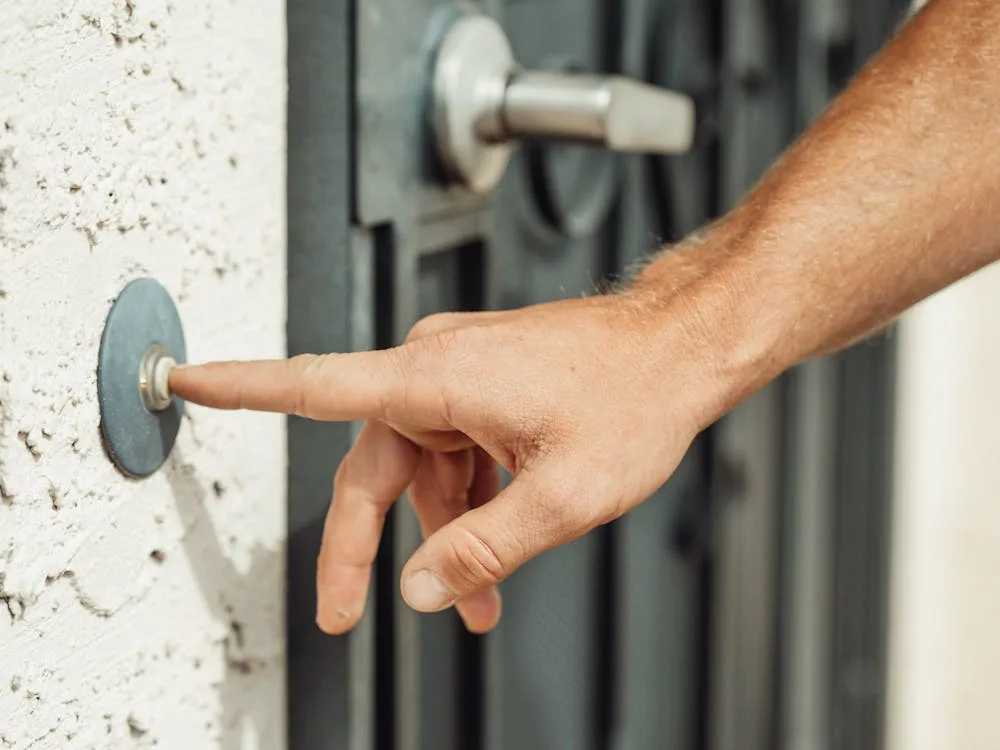
The limitation is obvious: you need existing doorbell wiring. Most homes built after the 1950s have it — but rental apartments, newer townhomes, and some condos may not. You can check by looking for a small rectangular button by your door with two wires connected to the back of it.
Battery doorbells
Battery doorbells require no wiring whatsoever — you mount them with screws or adhesive mounting tape and connect them to WiFi. This makes them universally renter-friendly and installable anywhere on the exterior of a building. Modern batteries last 1–6 months depending on how much motion traffic your porch sees.
The tradeoffs are meaningful: battery doorbells "sleep" between events to conserve power, which means there's a 1–3 second wake-up lag before they start recording motion. This gap can cause you to miss the beginning of a fast-moving event. They also can't do continuous recording, and battery life degrades in cold weather.
Some battery doorbells can be connected to existing low-voltage wiring to trickle-charge the battery, essentially giving you the best of both worlds — if the wiring is available.
Video Quality: What Actually Matters at Your Front Door
Video quality in doorbells is about more than resolution — aspect ratio, HDR capability, and night vision implementation are often more important to real-world usability.
Aspect ratio: wide vs tall
Traditional security cameras use a 16:9 wide ratio. Many doorbell cameras use a taller 4:3 or even 1:1 ratio — and this matters enormously. A taller frame captures someone's full body (including dropped packages at their feet) rather than just their face and torso. If package detection is a priority, look for doorbells with taller video formats.
HDR and bright backgrounds
A front door facing a bright sky can wash out the image of whoever is standing there. HDR (High Dynamic Range) processing balances the bright background against the foreground subject, giving you a usable image in high-contrast situations. This is one of the most practically important features for front-door cameras — more important than raw resolution in many situations.
Night vision
Most doorbells use infrared night vision, which produces black-and-white footage in low light. Higher-end models offer color night vision using an integrated spotlight or ambient light sensing, which produces color footage that's more useful for identifying people and clothing colors. If your porch has existing outdoor lighting, standard IR night vision may be sufficient. For dark porches, a spotlight-equipped model is worth the premium.
Motion Detection: What's Actually Useful vs Just a Feature List
A doorbell that alerts you every time a car passes on the street, a branch sways in the wind, or a shadow changes will train you to ignore notifications within a week. Effective motion detection is about the right alerts, not the most alerts.
Motion zones
The ability to draw a custom detection zone (just your porch and walkway, not the street) is essential for reducing false alerts. Most mid-range and above doorbells offer this. If a doorbell doesn't support custom motion zones, be cautious — street traffic and neighbors will generate constant false positives.
AI detection: person vs vehicle vs package vs animal
AI-based detection that distinguishes between people, vehicles, animals, and packages is genuinely useful. Being alerted specifically when a person approaches (not when a car passes) is the difference between a useful notification system and notification fatigue. Most AI detection features require a paid subscription — verify before purchasing whether it's included in the free tier or locked behind a plan.
Pre-roll / pre-buffering
Some wired doorbells offer pre-roll — a few seconds of footage captured before the motion alert triggered. This solves the problem of missing the beginning of an event and is one of the strongest arguments for choosing a wired model over battery if you're on the fence.
Audio: Two-Way Talk and When It Actually Matters
All smart doorbells include two-way audio — a microphone and speaker that let you talk to whoever is at your door through the app. In practice, the quality of this audio varies dramatically between brands.
Good two-way audio needs: a loud enough speaker to be clearly heard outdoors (especially in wind or traffic noise), a sensitive enough microphone to pick up the visitor's voice clearly, and echo cancellation so both parties can hear each other without feedback loops.
Noise cancellation for outdoor environments is particularly important. Doorbells from Ring and Google Nest have generally strong audio reputations. Some budget models are intelligible but sound like walkie-talkies — check independent reviews that specifically mention audio quality before buying.
For households with hearing difficulties, some doorbells support chime accessories or flash alerts via smart bulbs. If this is a need, verify compatibility before purchasing.
Subscriptions: What You Get for Free vs What Costs Money
The subscription situation for smart doorbells mirrors the broader security camera market — and it's worth understanding exactly what you're signing up for before committing to a platform.
General breakdown across major platforms:
- Ring: Free tier gives live view and real-time alerts only — no video history. Ring Protect plan ($4–$10/month) adds 180 days of event video storage and snapshot capture.
- Google Nest: No free video history. Nest Aware ($8/month) gives 30 days of event history; Nest Aware Plus ($15/month) extends to 60 days and adds continuous recording for wired cameras.
- Eufy: Local storage to a HomeBase hub is free — no subscription required for event recording. Optional cloud storage available as a paid add-on.
- Arlo: Free tier includes 3 months of basic service then limited free clip storage. Arlo Secure plans add extended history and AI detection.
Compatibility: What "Works With Alexa/Google/Apple" Actually Means
"Works with" compatibility claims require careful reading. A doorbell that "works with Alexa" might only allow Alexa to announce when someone presses the doorbell button — it doesn't necessarily mean you can view the live feed on an Echo Show, receive Alexa announcements for motion alerts, or trigger Alexa routines from doorbell events. Verify specifically which actions are supported, not just whether the integration exists.
The deepest integrations tend to be within brand families: Ring doorbells with Amazon/Alexa devices, Nest doorbells with Google Home/Chromecast, Arlo with its own ecosystem. If cross-platform integration is important (for example, viewing your doorbell feed on an Echo Show), Ring is still the most complete implementation of that specific scenario.
Apple HomeKit Secure Video is the strongest privacy-focused option — but currently only Logitech, Eufy, and a limited number of other brands support it for doorbells. If HomeKit compatibility is a firm requirement, verify support before buying rather than assuming it from an "Apple Home" logo.
Installation: Wired Voltage Requirements and No-Wire Options
Wired doorbell cameras require low-voltage doorbell wiring — typically 16V AC to 24V AC. Before installing, check your existing doorbell transformer (usually located near your electrical panel, in a closet, or near the original indoor chime) to confirm its output voltage matches the camera's requirements. Most smart doorbells specify 16–24V AC; if your transformer outputs 8–12V, it may not provide sufficient power and could cause reliability issues or damage the device.
The physical installation is simple: remove the existing button (usually two screws), connect the two wires to the new doorbell's terminals, attach the mounting plate, and snap or screw the doorbell into place. Total time is typically 15–30 minutes for most homes.
What to do if you have no doorbell wiring
If your home has no existing doorbell wiring, you have three options: (1) Install a battery-powered doorbell — no wiring needed, rechargeable batteries, widest installation flexibility. (2) Have an electrician install new low-voltage wiring — allows any wired model but adds cost and complexity. (3) Use a solar-assisted battery doorbell with a small solar panel accessory — reduces how often you need to recharge, though it doesn't eliminate battery management entirely.
For most renters or homes without wiring, option 1 is the practical choice. Battery-powered doorbell tech has matured significantly, and for typical traffic levels, recharging every 2–4 months is a manageable tradeoff.
Doorbell Scenario Comparison
| Scenario | Power | 24/7 Recording | Subscription Required | Renter-Friendly |
|---|---|---|---|---|
| Wired Basic | Existing wiring | With paid plan | For video history | Requires wiring access |
| Wired Premium | Existing wiring | Yes — continuous with plan | For full features | Requires wiring access |
| Battery Basic | Rechargeable battery | No — event clips only | For video history | Yes — no wiring needed |
| Battery Premium (local storage) | Rechargeable battery | No — event clips only | No — local base station | Yes — no wiring needed |
Our Top Picks for 2026
 Representative image — view exact product photos on Amazon.
- HDR video and continuous recording with Nest Aware Plus
- Excellent AI detection for people, packages, animals, and vehicles
- Pre-buffering captures events before the motion trigger fires
Representative image — view exact product photos on Amazon.
- 3D Motion Detection with Bird's Eye View for precise motion mapping
- 1536p HD video with HDR — tall format captures full-body and packages
- Deep Alexa integration — Echo Show live view, announcements, and routines
Representative image — view exact product photos on Amazon.
- Dual-camera: wide doorbell view + second camera for package zone
- Local storage via HomeBase 3 — no subscription ever required
- Color night vision with built-in spotlight