Best Smart Security Cameras: A Real Buyer’s Guide for 2026
Find the best smart security cameras for your home — indoor vs outdoor, wired vs wireless, subscription vs local storage. Honest guide for homeowners and renters.
In this guide
Affiliate Disclosure:
As an Amazon Associate I earn from qualifying purchases. Product images shown may be representative lifestyle photos unless official product images are available through an approved Amazon data source. We do not display live prices, ratings, or availability.
What Makes a Security Camera "Smart" — and What to Actually Look For
A traditional security camera records continuously and stores footage on a local DVR you have to check manually. A smart camera goes further: it connects to your home WiFi, sends motion alerts to your phone in real time, applies AI to distinguish between a person and a passing car, and lets you check live footage from anywhere on earth. That’s the core value proposition.
But not all smart cameras deliver on that promise equally. The features that matter most are not always the ones manufacturers put on the box. Resolution gets all the marketing attention, but motion detection accuracy, night vision quality, two-way audio clarity, and storage flexibility have a far bigger impact on how useful a camera actually is day to day.
This guide focuses on what those features mean in practice — not just what specs to compare.
Indoor vs Outdoor Cameras: Real Decision Criteria
The indoor vs outdoor distinction is about more than just weatherproofing. These camera categories are optimized for fundamentally different use cases.
Indoor cameras
Indoor cameras are designed for monitoring interior spaces — living rooms, entryways, nurseries, home offices. They’re generally smaller and less conspicuous, often sit on a shelf or tabletop, and don’t need weather protection. Many indoor cameras prioritize wide-angle lenses (130–160 degrees) to cover a full room, two-way audio for checking in on pets or kids, and quiet operation.
Key specs for indoor cameras: field of view (wider is better for rooms), low-light performance, privacy shutter or indicator light, and whether the mic can be disabled.
Outdoor cameras
Outdoor cameras face rain, temperature extremes, direct sunlight, insects, and potential vandalism. Look for an IP65 rating minimum — that means the camera is fully dust-tight and protected against water jets. IP66 and above offers even stronger protection.
Key specs for outdoor cameras: IP weather rating, night vision range (infrared or color night vision), field of view (130–160 degrees for driveways and wide angles, 80–100 degrees for narrower entry points), wired vs battery power, and whether a spotlight is included for deterrence.
Field of view tip:
A wider field of view means more coverage but more distortion at the edges. A 160-degree lens is great for wide driveways but may make faces harder to identify at distance. For identifying people clearly — like a doorstep — a tighter 80–110 degree lens at a closer range often gives better results.
Wired vs Wireless/Battery: Honest Tradeoffs
Wired Cameras — Pros
Continuous power means no batteries to replace or recharge.
24/7 continuous recording is possible — you never miss footage between motion events.
Generally more reliable connection — no battery-related dropouts.
Better for high-traffic areas where battery cameras would trigger constantly.
Wired Cameras — Cons
Requires running cable to the installation point — not always feasible in rentals.
Professional installation may be needed for complex setups.
Less flexible — moving the camera later requires relocating wiring.
Battery/Wireless Cameras — Pros
Place them anywhere — no wiring constraints.
Renter-friendly: no permanent installation required.
Easy to relocate as your needs change.
Modern batteries last 3–6 months on a charge with typical use.
Battery/Wireless Cameras — Cons
No continuous recording — only record when motion is detected, so fast-moving events can be missed.
Batteries must be recharged or replaced — easily forgotten until the camera goes offline.
Cold weather significantly reduces battery life.
Wake-up latency means the first second or two of a motion event may not be captured.
Storage Options: Cloud vs SD Card vs NAS
How and where your footage is stored shapes your ongoing costs, your privacy exposure, and what happens if an incident occurs. Here’s an honest breakdown of each option:
Cloud storage
Cloud storage keeps footage on the provider’s servers. Check current access, retention and subscription terms, and consider who controls the data and how a service change would affect you.
Local SD card storage
Many cameras include a microSD slot that lets you store footage on-device, no subscription required. Free after the initial camera cost, under your control, and completely private. The risk: if the camera is stolen, the footage goes with it. SD cards also have a finite write cycle lifespan — a card in a continuously recording camera may need replacement every 1–2 years.
NAS / local network storage
Some cameras (and hub-based systems like Eufy, Reolink, or Synology Surveillance Station) support pushing footage to a network-attached storage device on your home network. This combines the “footage survives theft” benefit with local control and no recurring fees — but requires owning a NAS and some technical comfort with network configuration.
Watch out for storage limits:
Many "free" plans only retain 24 or 48 hours of footage. If you don't check the camera daily, you may miss events entirely. Before buying, verify exactly how long footage is retained on the free tier.
Subscriptions: What's Actually Free vs What Costs Money
The subscription model varies significantly by brand. Here’s what you typically get for free across major platforms, and what gets locked behind a paywall:
Free on most platforms: Live view, basic motion alerts, 24–48 hours of event clips (sometimes), two-way audio, manual snapshot.
Requires subscription: Extended video history (7–60 days), AI detection (person vs animal vs vehicle vs package), activity zones, continuous 24/7 recording, professional monitoring.
Before committing to a camera system, calculate its total recurring cost using current subscription terms. Compare those requirements with supported local-storage options and the functions you actually need.
Privacy: Where Your Footage Goes and Who Can See It
This is the question most buyers don’t ask until after they’ve installed cameras in their home. The short answer: it varies a lot by manufacturer, and the details matter.
Ring (Amazon): Has received significant scrutiny for sharing footage with law enforcement in response to requests — often without requiring a warrant, depending on jurisdiction. Ring’s Neighbors app also facilitates community surveillance in ways that have raised civil liberties concerns. Ring footage is stored on Amazon servers.
Nest (Google): Google stores footage on its servers with standard encryption in transit and at rest. Google has a detailed process for responding to government requests, though they do comply with lawful orders.
Apple HomeKit Secure Video: Footage is processed on-device (by an Apple TV, HomePod, or iPad acting as a hub), encrypted end-to-end, and stored in iCloud in a way that Apple cannot access or view. This is the strongest privacy posture of any major ecosystem — but requires Apple hardware and ecosystem commitment.
Eufy (Anker): Has faced criticism in the past for sending thumbnail images to the cloud despite advertising “local storage only.” They’ve since updated policies and firmware, but the episode is a reminder to verify manufacturer claims against independent testing.
Practical advice: Place cameras only where you’re comfortable with footage potentially being accessed — typically exterior entry points and common indoor areas, not bedrooms or bathrooms. Enable two-factor authentication on your camera accounts without exception.
Resolution: What 1080p vs 2K vs 4K Actually Means for Home Use
Higher resolution isn’t always better — it’s a tradeoff between image detail and storage/bandwidth cost. Here’s how to think about it:
1080p (Full HD): Sufficient for identifying faces at close range (under 15 feet) and reading license plates in good lighting. The sweet spot for indoor cameras and typical suburban doorbell distance.
2K (1440p): Noticeably sharper for wider outdoor angles — better detail at 20–30 feet. Also makes digital zoom more useful. Uses about 30–50% more storage than 1080p.
4K: Overkill for most residential applications unless you have a large driveway or commercial-grade monitoring needs. Generates significant storage requirements and requires higher upload bandwidth. Best saved for specific wide-area applications.
The honest recommendation for most homes: 2K outdoor cameras, 1080p indoor cameras. You get improved detail where it matters most (license plates, face identification at entry points) without the storage overhead of 4K across the board.
Camera Scenario Comparison
Scenario | Best Use | Storage Options | Subscription Needed? | Weather Rating |
|---|---|---|---|---|
Indoor Wired | Nurseries, living rooms, always-on monitoring | Cloud, SD card, or NAS | Optional (SD card free) | Not needed |
Indoor Battery | Rental apartments, flexible placement, temporary monitoring | Cloud or SD card | Optional | Not needed |
Outdoor Wired | High-traffic entry points, 24/7 continuous recording | Cloud, NAS, or base station | Optional (local storage) | IP65 or higher |
Outdoor Battery | Areas without power access, rentals, side/rear coverage | Cloud or base station | Recommended | IP65 or higher |
Doorbell Camera | Front door monitoring, package detection, visitor ID | Cloud or local (base station) | Recommended for history | IP65 or higher |
Our Top Picks for 2026
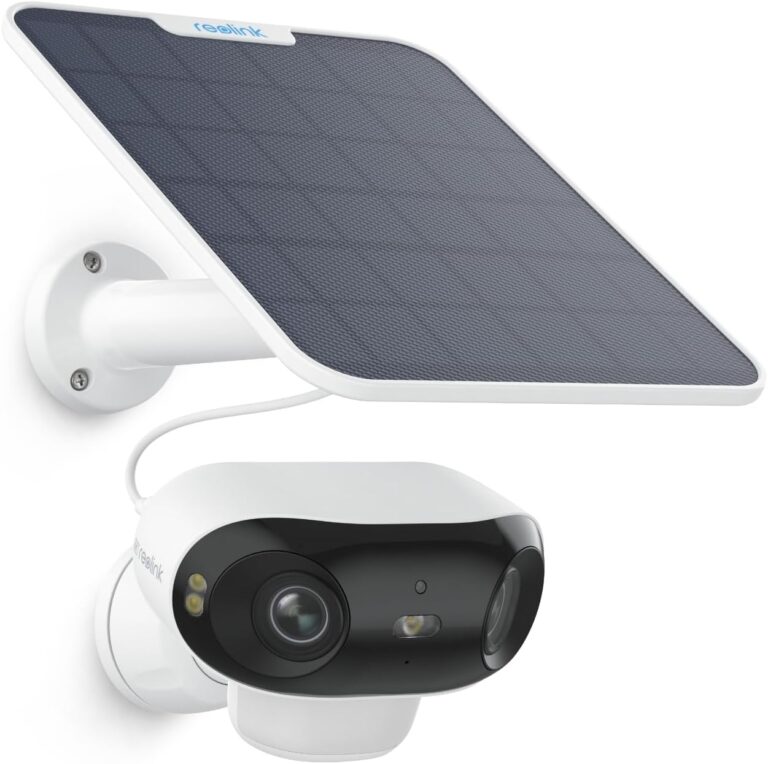
Reolink Argus 4 Pro
Argus 4 Pro combines two lenses for a wide 180-degree outdoor view. Its 4K image and battery-powered design can suit an area where a mains-powered camera would be difficult to install.
Variant: Argus 4 Pro; solar camera listing B0D17NG155
Supports 2.4 and 5 GHz Wi-Fi. Check mounting, solar exposure and the exact supplied panel; the product name alone does not establish the complete accessory kit.
View product details →View on Amazon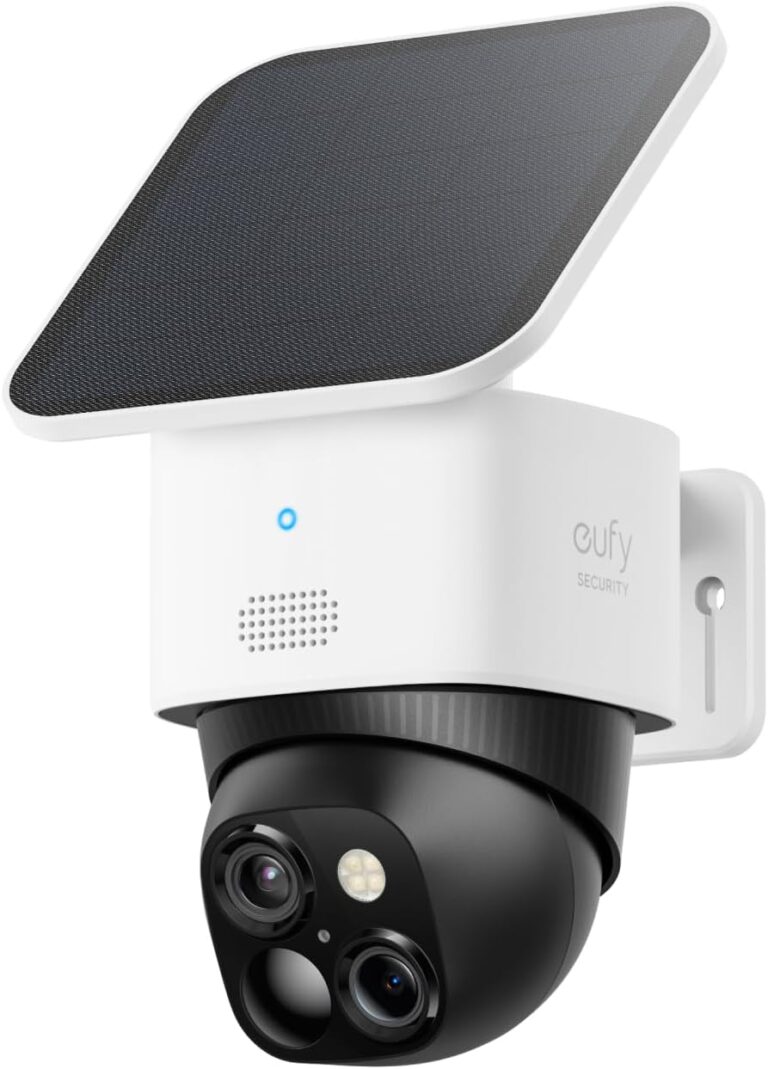
One camera with solar panel; HomeBase is not included.
eufy SoloCam S340 solar camera
An outdoor camera with two lenses and a motorised pan-and-tilt head. Its solar panel can help maintain the rechargeable battery when the installation receives suitable sunlight.
Variant: White / one S340 camera with solar panel
Check Wi-Fi coverage and panel exposure before mounting. Solar charging depends on weather and use; it does not guarantee uninterrupted recording. This one-camera article does not include a HomeBase.
View product details →View on Amazon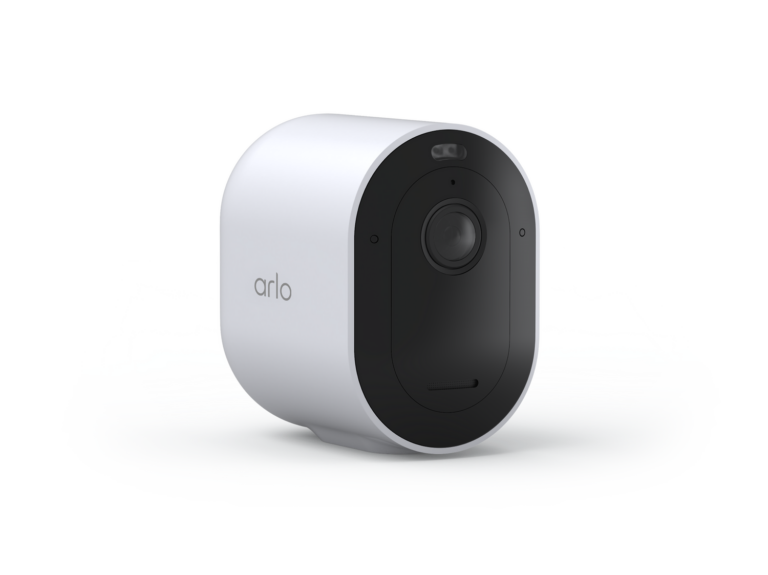
Model illustrated in white. This image does not select a commercial variant or define the contents of a kit.
Arlo Pro 5S 2K
A battery-powered security camera for monitoring outdoor areas without routing a power cable to the mounting point. Its 2K HDR video and wide view suit an entrance or garden; dual-band Wi-Fi gives another connection option where 2.4 GHz is congested.
Variant: Model information; finish and package not selected
Allow access for battery charging and check Wi-Fi coverage at the mounting position. Cloud recording and advanced services can require a subscription; SecureLink functions depend on compatible Arlo equipment. This page does not specify camera quantity, finish or a bundled hub.
View product details →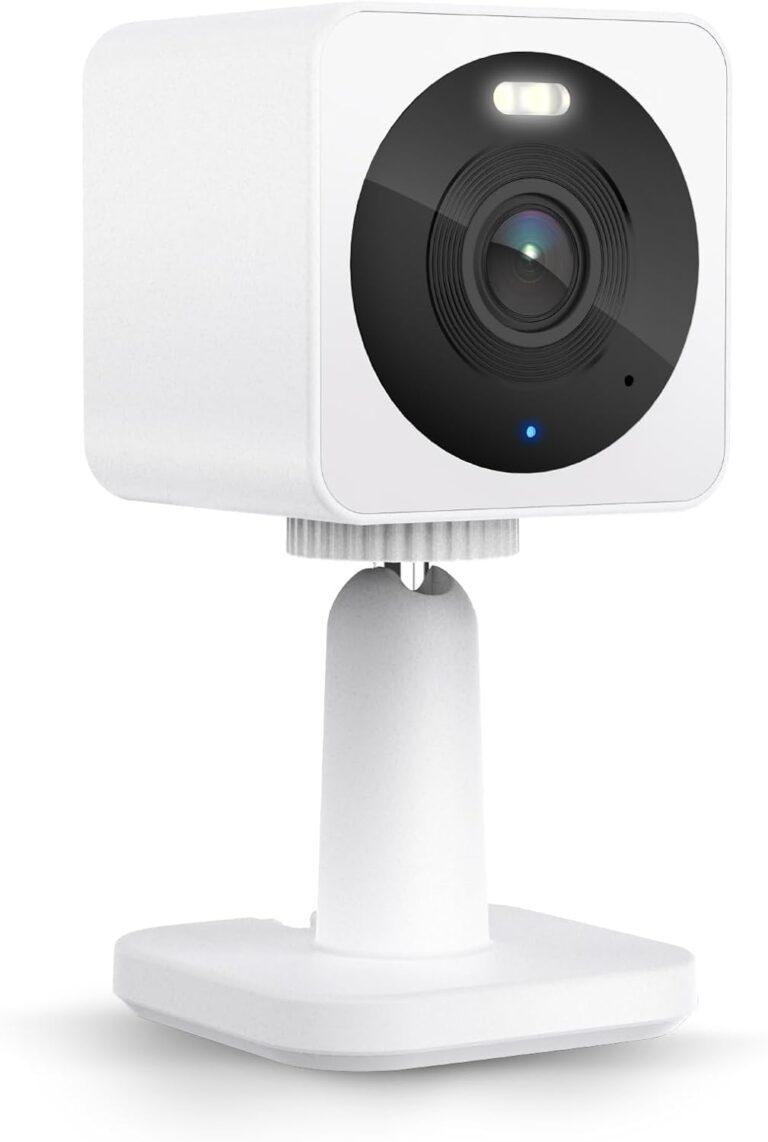
Model illustrated in white, WYZECGS revision. This image does not select a commercial variant or define the contents of a kit.
Wyze Cam OG
A plug-in 1080p camera with an integrated spotlight, two-way audio and microSD recording. Cam OG suits a fixed monitoring point with a nearby power outlet; it is distinct from Cam OG Telephoto.
Variant: Cam OG model information; hardware revision, colour and package not selected
It requires continuous external power and 2.4 GHz Wi-Fi. Outdoor installation needs an appropriate outdoor power adapter; the camera’s IP65 rating does not make every supplied adapter weatherproof. The manufacturer lists hardware revisions with different dimensions and viewing angles; this page covers common Cam OG features and does not select a revision, colour or kit. MicroSD and cloud services are separate purchasing considerations.
View product details →Indoor monitoring: verify the camera version and recording options
Decide whether you need a fixed view or an adjustable view of the room, then check power, placement and the recording method. Compare the exact model's local storage requirements with any optional cloud plan — do not assume event recordings are free or that every feature works without a subscription.
Confirm whether the camera is designed for indoor or outdoor use, and check its low-light or night-vision method — color night vision without a spotlight works differently from infrared, and not every version of a camera family supports it.
Frequently Asked Questions
Do I need a subscription for smart security cameras?
Not always — but subscriptions unlock the most useful features. Without a plan, most cameras still offer live view and motion alerts. What you typically lose: recorded video history, advanced AI detection (person vs package), and extended clip storage. Some cameras support free local storage via microSD card, which is a genuine alternative to paid cloud plans.
Can smart cameras work without WiFi?
Most smart cameras require WiFi to function. Without it, you lose remote viewing, alerts, and cloud recording. Some cameras can record locally to a microSD card even without internet — but you won't get notifications or be able to check footage remotely until WiFi is restored.
What is local storage for security cameras?
Local storage means your camera saves footage directly to a device you own — typically a microSD card inserted into the camera, a NAS on your home network, or a hub that ships with some camera systems. Local storage avoids monthly fees and keeps footage under your control. The tradeoff: if the camera is stolen, footage may be lost with it.
How many cameras do I need for a typical home?
For a typical single-family home, 3 to 5 cameras covers the most important areas: front door, back door, garage or driveway, and one indoor common area. You don't need to cover every room — security cameras are most valuable at entry points. Apartments often only need 1 to 2 cameras.
Are outdoor cameras weatherproof?
Outdoor-rated cameras carry an IP rating describing their resistance to dust and water. IP65 means the camera is dust-tight and resistant to water jets — suitable for most outdoor use. IP66 and IP67 offer higher protection. Always verify the IP rating before installing a camera outdoors, and check whether the manufacturer's warranty covers weather-related damage.
Can renters use security cameras?
Yes — with some limits. Battery-powered outdoor cameras that mount with adhesive or a simple screw are renter-friendly. Indoor cameras need no installation at all. For doorbell cameras, a battery-powered doorbell camera that attaches without wiring is the typical renter solution. Always check your lease before making exterior modifications.