Best Smart Home Devices: What’s Actually Worth It in 2026
Our picks for the best smart home devices for beginners and families — smart speakers, displays, hubs, and more. Updated buying guide with honest pros and cons.
In this guide
Affiliate Disclosure:
As an Amazon Associate I earn from qualifying purchases. Product images shown may be representative lifestyle photos unless official product images are available through an approved Amazon data source. We do not display live prices, ratings, or availability.
What Counts as a Smart Home Device — and Why the Category Is So Confusing
Walk into any electronics store or browse Amazon and you’ll find thousands of products marketed as “smart home devices.” Smart plugs. Smart bulbs. Smart fridges. Smart shower heads. The label gets slapped on anything with a WiFi chip and a companion app. That’s exactly why first-time buyers get overwhelmed and often waste money.
For this guide, we’re defining “smart home device” as any connected product that lets you automate or remotely control something in your home — and that meaningfully saves time, improves security, or adds genuine convenience. A smart plug that turns your coffee maker on before you wake up qualifies. A WiFi-connected toothbrush that sends data to an app probably doesn’t make your life better in any measurable way.
The goal of this guide is to cut through the noise. We’ll tell you what categories actually matter, which ecosystems to build around, and which devices give you the most value for your first few hundred dollars.
Who This Guide Is For
We wrote this guide specifically for:
Families who want a smarter home without a complicated setup that only the most tech-savvy family member can manage.
Renters who can’t make permanent changes but still want to add smart features to their apartment or rental home.
First-time buyers who are starting from scratch and don’t want to accidentally lock themselves into an ecosystem that doesn’t fit their life.
Budget-conscious shoppers who want to start small and expand over time rather than buying a large hub-based system on day one.
If you’re already deep into a particular ecosystem and looking for advanced setups, this guide will still give you useful comparison context — but our picks lean toward accessibility and value over bleeding-edge features.
Buyer's Guide: 6 Key Things to Consider Before You Buy
Smart Home Buyer's Checklist
Ecosystem compatibility first. Before buying any device, decide which voice assistant and app ecosystem you’ll use as your primary control layer. This single decision affects every purchase that follows. Mixing ecosystems is possible but adds friction.
Check your voice assistant preference. Do you already use Alexa, Google Assistant, or Siri daily? Start with the ecosystem you already trust. Switching later is painful and expensive — you’ll either retire working devices or manage two parallel systems.
Local control vs cloud control. Cloud-dependent devices stop working when the manufacturer’s servers go down or the company goes out of business (it happens). Devices that support local protocols like Zigbee, Z-Wave, or Matter with a local hub continue to work offline and tend to have faster response times.
Privacy and data sharing. Every smart device with a microphone or camera is collecting data. Read the privacy policy or at minimum understand: where footage is stored, whether audio is processed on-device or in the cloud, and whether you can opt out of data sharing without losing core functionality.
Ease of setup. Some devices require hub installations, firmware updates, and manual network configurations. Others work out of the box in under five minutes. If you’re not technically inclined, prioritize devices with a reputation for painless setup — and check the app store reviews, not just the product listing.
Total cost of ownership. The purchase cost is only part of the decision. Check which features require a subscription and calculate the total using the provider’s current terms.
Alexa vs Google Home vs Apple HomeKit: Which Ecosystem Is Right for You?
This is the most important decision in your smart home journey, and it’s not really about which assistant is “smarter.” It’s about which one fits your existing devices, habits, and household.
Amazon Alexa
Alexa is the most widely supported ecosystem by a significant margin. More third-party device manufacturers build Alexa compatibility than for any other platform. If you want the widest possible selection of compatible devices across every price point, Alexa is the safest bet. The downside: Amazon’s business model is built around commerce, which means Alexa’s privacy posture is less conservative than Apple’s. Alexa also tends to push Amazon shopping suggestions in ways that some users find intrusive.
Best for: Android users, families who want maximum device choice, anyone starting completely from scratch.
Google Home
Google Home is the natural fit for Android-first households and anyone already using Google services heavily (Gmail, Google Calendar, YouTube TV, Chromecast). Google’s natural language understanding is generally strong, and the Nest lineup (cameras, doorbells, thermostats, speakers) is a cohesive, well-designed product family. The ecosystem’s main weakness has historically been reliability — Google has a track record of discontinuing products and services, which creates legitimate long-term commitment concerns.
Best for: Android users, Google Workspace households, Nest device owners.
Apple HomeKit
HomeKit has the strongest privacy story of the three: Apple doesn’t mine your home data for advertising, and HomeKit’s architecture processes more commands locally than Alexa or Google. The tradeoff is a smaller device ecosystem and the requirement to own Apple devices (iPhone, iPad, or Mac) to fully manage your setup. An Apple TV or HomePod is needed to act as a “home hub” for remote access and automations.
Best for: iPhone-only households, privacy-conscious buyers, users already invested in Apple products.
The Matter Wildcard:
The Matter protocol (backed by Apple, Google, Amazon, and others) is designed to make cross-ecosystem device pairing much easier. As of 2026, support is growing but not yet universal. Don't let Matter be the primary reason you delay buying — it helps but doesn't eliminate ecosystem differences entirely.
Privacy & Security: What Smart Home Really Means for Your Data
Smart home privacy concerns are real, but they’re often discussed in extremes — either dismissed entirely or treated as evidence that you’re being constantly surveilled. The truth is more nuanced.
Voice assistants and always-on microphones
Smart speakers listen for wake words using on-device processing. When they detect a wake word, audio is sent to the cloud for processing. All three major platforms have had incidents of recordings being captured and reviewed without intent. You can reduce this risk by muting the microphone on devices in sensitive areas (bedrooms, offices) and reviewing your voice history in each platform’s privacy settings.
Camera and footage storage
Security camera footage stored in the cloud is processed and potentially accessible to the manufacturer and, under certain legal frameworks, to law enforcement. Ring (Amazon) has received particular scrutiny for its partnerships with police departments. If this concerns you, look for cameras that support local SD card or NAS storage, or use HomeKit Secure Video, which encrypts footage end-to-end before storing it in iCloud.
Practical steps to protect yourself
Put smart home devices on a separate guest or IoT WiFi network so they can’t reach your computers or NAS directly.
Regularly review which apps have microphone, camera, and location permissions on your phone.
Disable features you don’t use — voice purchasing, contact sharing, calendar access.
Prefer devices with local control options and visible hardware microphone/camera switches.
Smart Home Category Comparison
Category | Best Entry Point | Subscription Required? | Renter-Friendly? | Complexity |
|---|---|---|---|---|
Smart Speaker | Echo Dot / Nest Mini | No | Yes — plug and play | Very low |
Smart Display | Echo Show 5 / Nest Hub | No (optional for video calls) | Yes | Low |
Smart Plug | Kasa EP25 / Amazon Basic Plug | No | Yes — no install needed | Very low |
Our Top Picks for 2026
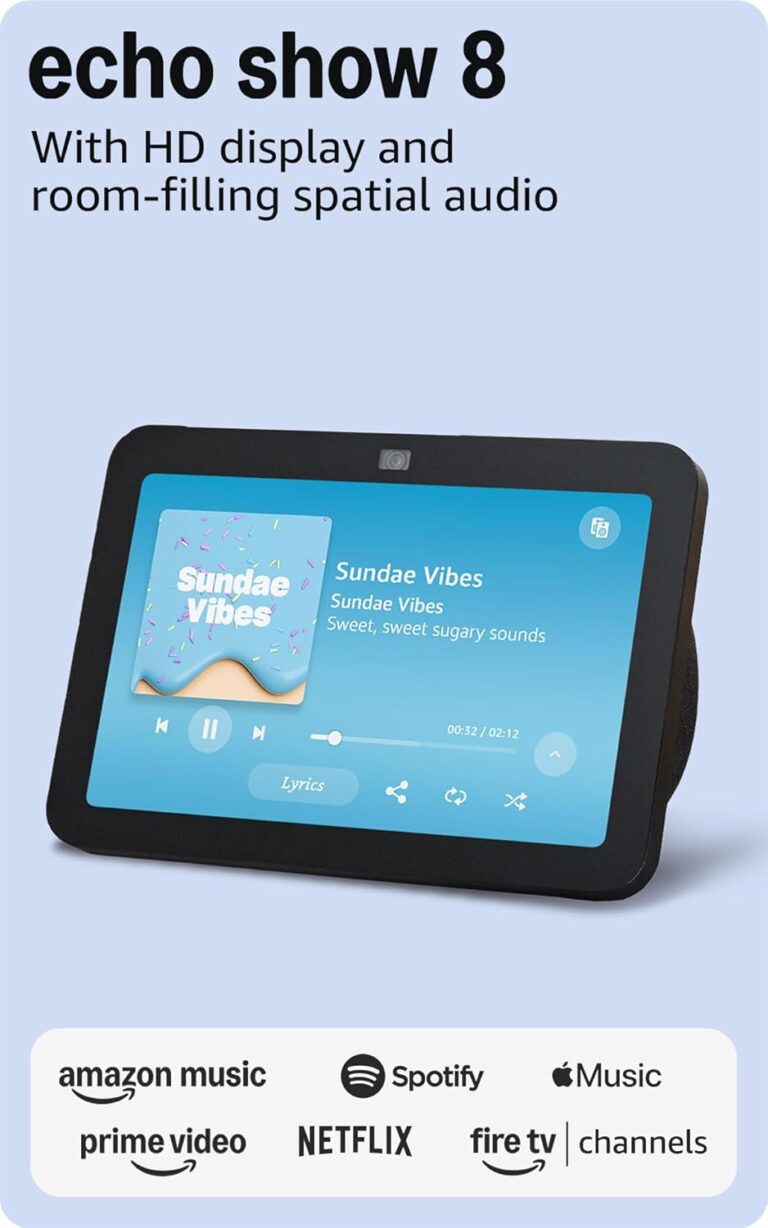
Amazon Echo Show 8, third generation
An eight-inch Echo smart display in charcoal. Amazon's technical table identifies this ASIN as the third-generation, 2023 release; it is separate from later Echo Show 8 generations.
Variant: Charcoal / third generation / 2023
Check which smart-home devices and services you want to connect. The camera and screen add placement and privacy considerations; review the camera shutter and microphone controls before choosing a location.
View product details →View on Amazon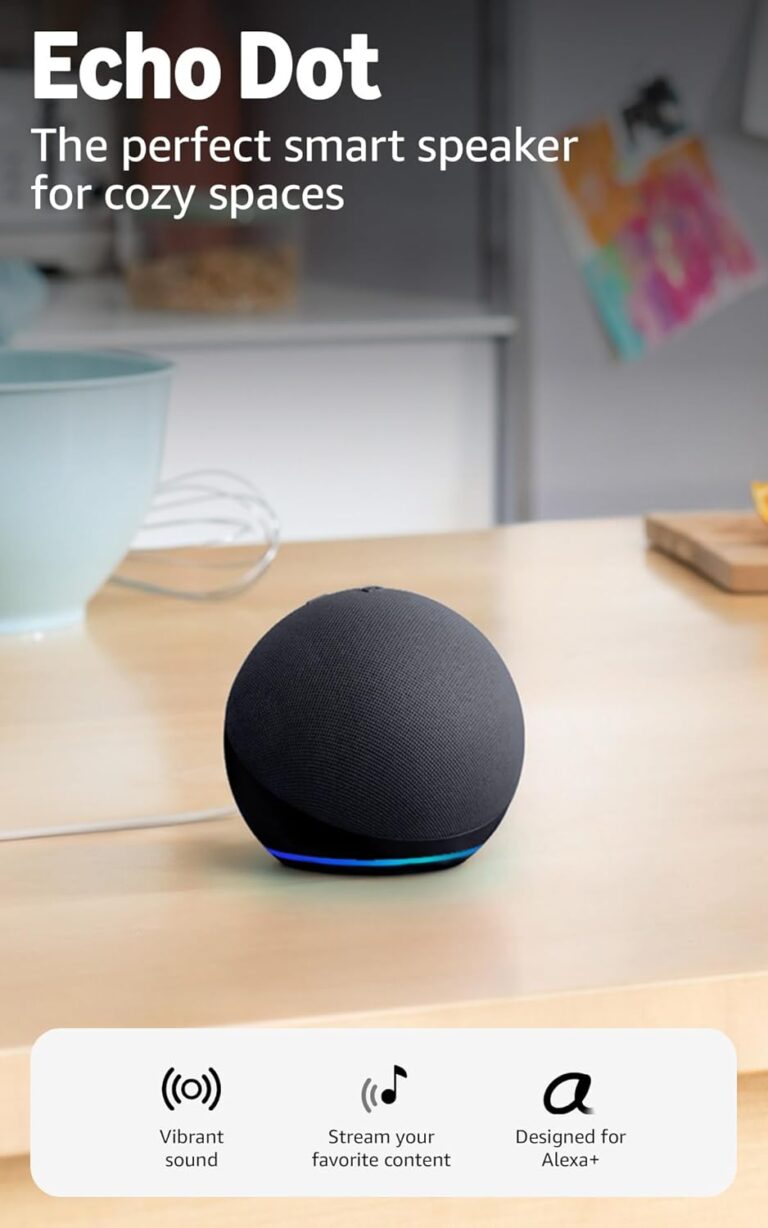
Echo Dot, fifth generation
This compact Alexa speaker offers voice control and music playback without a display. The fifth-generation Charcoal version is useful when a small speaker fits the room better than a smart screen.
Variant: Fifth generation; Charcoal; speaker only
Needs mains power, Wi-Fi and an Amazon account. Check service and device compatibility; a smart plug or bulb is not included in this single-speaker reference.
View product details →View on Amazon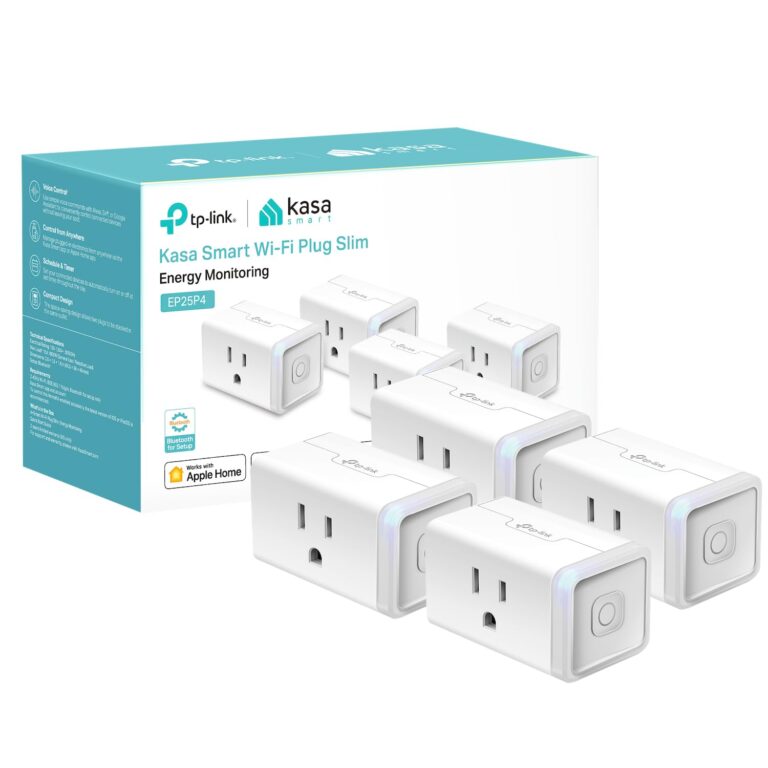
Four plugs; the additional plug illustrations are printed on the box.
Kasa EP25 smart plugs, four-pack
Use EP25 to switch plug-in appliances and review their energy use in Kasa. This EP25P4 pack offers four compact plugs for separate outlets and supports Apple HomeKit.
Variant: EP25P4; four US plugs
Requires 2.4 GHz Wi-Fi. Check the appliance load against the 15 A limit; this US plug is not an adapter for other outlet standards.
View product details →View on Amazon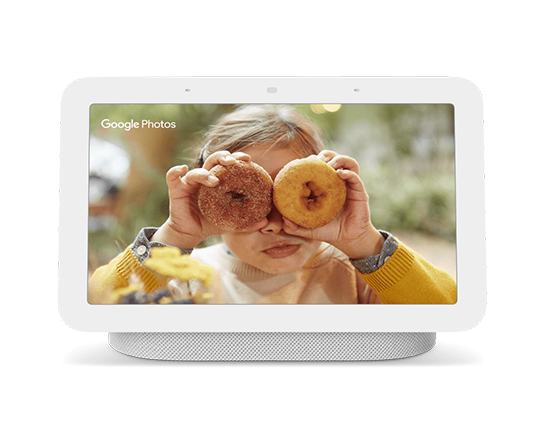
Model illustrated in Chalk. This image does not select a commercial variant or define the contents of a kit.
Google Nest Hub (2nd gen)
A seven-inch smart display for viewing home controls, media and useful information on a counter or bedside table. The second-generation Nest Hub includes a Soli sensor for Motion Sense and has no built-in camera.
Variant: Model information; finish and package not selected
It needs Wi-Fi, a nearby power outlet and a compatible mobile device for setup. Check current regional availability and terms of optional services before relying on them. This is the second-generation model, not Nest Hub Max or Amazon Echo Hub. Colour, regional adapter and sales ASIN are not selected.
View product details →Choose a smart-home hub around the devices you need to connect
List the exact devices and functions you want to control before choosing a hub. Check each device against the hub manufacturer's compatibility information, including its generation and regional version — a list of protocol names does not establish support for every device or function.
Also check which automations require an internet connection and which can run locally — a hub that keeps core routines working during an outage is worth more to most households than one with a longer protocol list.
Smart Home Overall: Honest Pros & Cons
Pros
Genuine convenience — automating lights, locks, and climate saves real time daily.
Security improvements — cameras, doorbells, and smart locks add meaningful visibility to your home.
Energy savings — smart thermostats and plugs with scheduling can reduce electricity bills.
Accessibility benefits — voice control is life-changing for users with mobility limitations.
Modular — start with a small setup and check compatibility before expanding.
Cons
Ecosystem lock-in — switching platforms later means replacing devices, not just apps.
Privacy tradeoffs — microphones, cameras, and usage data are collected by manufacturers.
Subscription creep — many devices add ongoing costs that weren’t clear at purchase.
Internet dependency — most devices lose functionality during outages without local control setup.
Tech support burden — smart home devices require more maintenance than dumb appliances.
Frequently Asked Questions
Do smart home devices work without internet?
It depends on the device. Most smart home gadgets require internet for initial setup and for remote control via apps. However, many devices can still respond to local voice commands or automations once set up, even during brief internet outages — but cloud-dependent features like remote viewing or third-party integrations will stop working. Devices that support local control protocols like Zigbee, Z-Wave, or Matter with a local hub can function fully offline.
Can I mix brands in a smart home?
Yes, but with caveats. The Matter standard (launched in 2022 and growing in 2026) is specifically designed to make cross-brand compatibility easier. In practice, devices from different brands often work together for basic on/off and automation, but advanced features — like specific camera integrations or manufacturer-exclusive routines — typically only work within the same ecosystem. Sticking to one primary ecosystem as your control layer makes multi-brand setups far smoother.
What's the most beginner-friendly smart home ecosystem?
Amazon Alexa generally has the widest device compatibility and the most forgiving onboarding experience, making it the easiest starting point for most beginners. Google Home is a close second and works especially well if you're already deep in Google's ecosystem. Apple HomeKit has the strongest privacy story but requires Apple devices and has a narrower selection of compatible products.
Do smart home devices slow down my WiFi?
Smart home devices are generally low-bandwidth — a smart plug or thermostat sends tiny data packets and won't noticeably affect your internet speed. Security cameras streaming HD video are the exception; a handful of 1080p cameras can meaningfully consume your upload bandwidth. The more common issue is device count: many older routers struggle with 30+ connected devices. If you're building a large smart home, a mesh WiFi system is worth the investment.
Are smart home devices a privacy risk?
There is a real privacy tradeoff. Voice assistants listen for wake words and send audio snippets to the cloud. Smart cameras store footage on manufacturer servers. Practical mitigation: use a separate IoT WiFi network, regularly review app permissions, choose devices that offer local storage options, and disable microphones on devices in private areas like bedrooms.
What's the difference between a smart hub and a smart speaker?
A smart speaker (like the Echo or Google Nest Mini) is primarily a voice interface — it plays music, answers questions, and controls compatible devices via voice commands. A smart hub (like SmartThings or a Zigbee/Z-Wave hub) is a networking device that connects and coordinates smart home devices using radio protocols, often enabling local control without cloud dependency. Many modern devices blend both functions.