Best Office Chairs for Home Offices: Mesh, Budget, and Adjustable Picks for 2026
The best office chairs for home offices in 2026 — mesh, budget, and adjustable picks for remote workers. Honest guide: no fake ratings, no live prices, no medical claims.
In this guide
Affiliate Disclosure:
As an Amazon Associate I earn from qualifying purchases. Product images shown may be representative lifestyle photos unless official product images are available through an approved Amazon data source. We do not display live prices, ratings, or availability.
Representative home office image — view exact product photos on Amazon.
Who This Guide Is For
This guide is for remote and hybrid workers setting up or upgrading a home office chair. It covers chairs at three distinct points: a breathable mesh mid-back for all-day seated work, a high-back reclining model for users who want an adjustable recline function, and a budget-friendly option for a second desk or occasional-use setup.
We are not covering gaming chairs, executive leather chairs, or chairs marketed primarily for appearance. We are focused on practical, daily-use seating for desk work.
How We Chose These Office Chairs
We evaluated office chairs based on published specifications, category standing, and practical use-case fit for home offices. Our selection criteria:
Adjustability: Seat height is non-negotiable — every chair here offers it. We prioritized adjustable lumbar support and width-adjustable arms as meaningful upgrades.
Breathability: Mesh backs reduce heat buildup during long seated sessions. Two of three picks use mesh backs.
Footprint: Home offices often have limited space. We avoided chairs with excessively wide bases or extended features that require extra clearance.
Practical use case: We selected one chair per primary use case — mesh back daily work, reclining multi-position use, and budget practicality.
Honest labeling: No medical claims. No “prevents back pain” language. We describe what the chair does, not what it promises.
5 Things to Know Before You Buy a Home Office Chair
Home Office Chair Checklist
Seat height range matters more than you think. Most office chairs adjust from roughly 17 to 21 inches. If you are unusually tall or short, check the specific height range in the product specs before buying. A chair that cannot reach your correct sitting height will be uncomfortable regardless of other features.
Lumbar support location is adjustable on better chairs — fixed on budget ones. A lumbar cushion or built-in arch placed at the wrong height for your back is worse than no support at all. If you buy a chair with fixed lumbar, check the reviews for how the lumbar height fits users of your height.
Armrest types make a real difference. Fixed armrests are common on budget chairs. Height-adjustable arms are the most useful upgrade since they let you rest your elbows without raising your shoulders. Width-adjustable arms (like on the HON Ignition 2.0) go further — useful if you use a keyboard tray or want the arms closer together.
Recline is not the same as recline-and-lock. Many chairs recline but spring back when you lean forward. A chair with a recline lock lets you stay reclined without continuous force. The Hbada reclining model includes this — the HON and Amazon Basics use standard tilt-tension adjustment only.
Assembly is required. All three chairs ship partially assembled and require 20–40 minutes to assemble. The standard tools are included. No special tools needed.
Quick Comparison Table
Product | Model & variant | Choosing |
|---|---|---|
Amazon Basics mesh office chair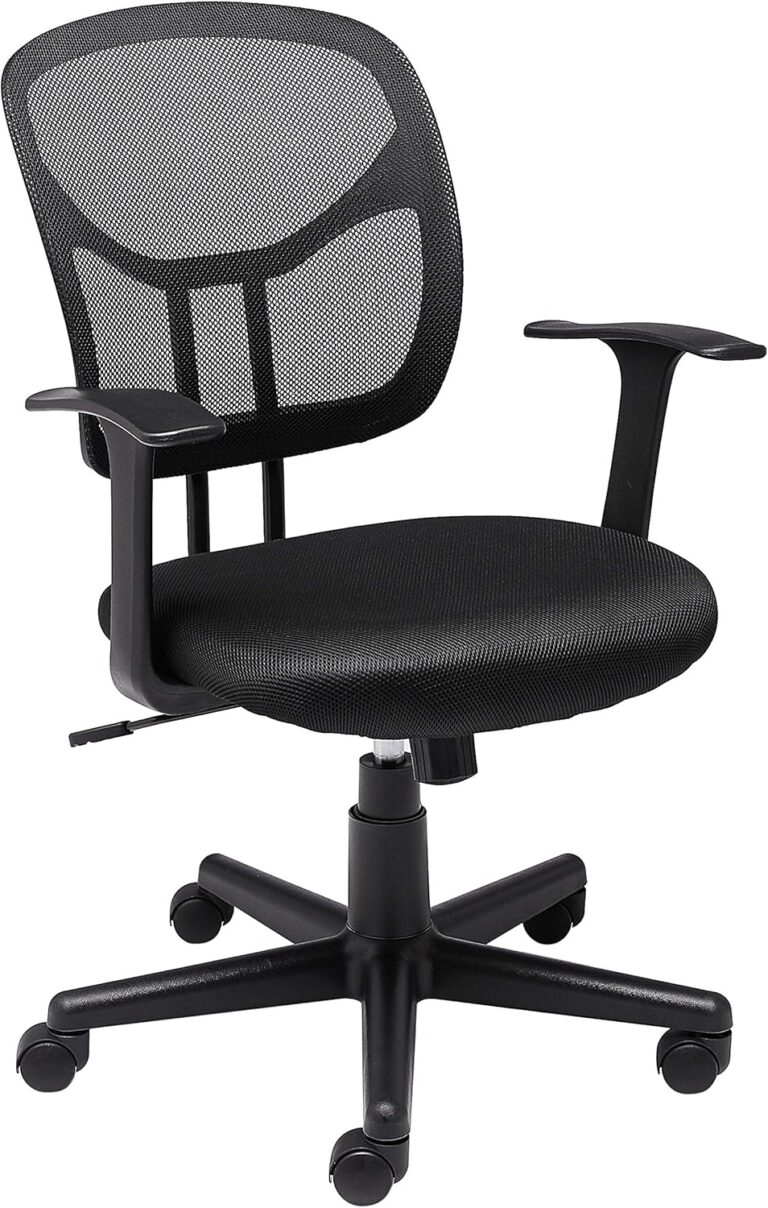 | HL-002565 Black / mid-back / armrests | Compare seat dimensions and armrest clearance with your body and desk. A mesh back does not establish an individual ergonomic fit; check which adjustments this model actually offers. |
Hbada reclining mesh chair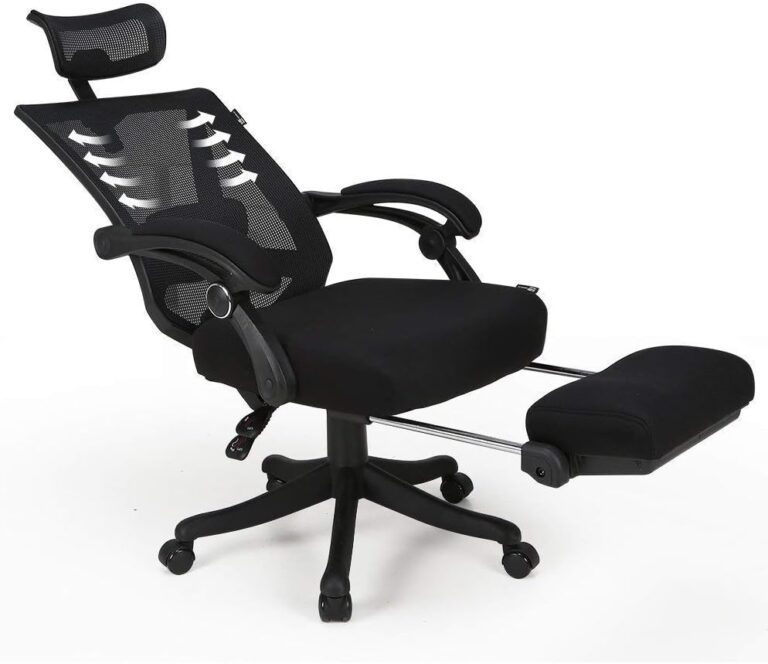 | Reclining Office Chair HDNY134BMJ Black / high back / footrest | Allow room behind the backrest and in front for the extended footrest. Check seat height, arm support and the allowed load; reclining features do not substitute for a good working fit. |
HON Ignition 2.0 task chair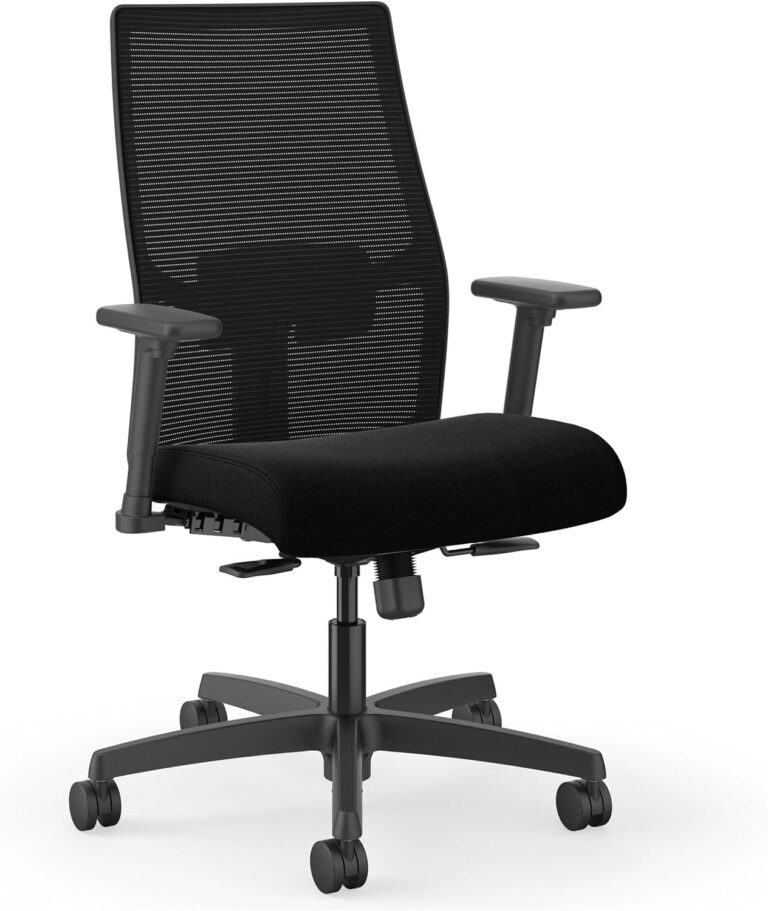 | HONI2M1AMLC10T Black / mesh task chair | Check seat dimensions, lumbar adjustment and armrest travel against your workstation. Confirm the supplied caster type and whether it suits your floor. |
Our Top Picks for 2026
HON Ignition 2.0 task chair
A black mesh-back office chair in the Ignition 2.0 range. This listing identifies HONI2M1AMLC10T, so its adjustment package should be compared with the exact chair rather than the range name alone.
Variant: Black / mesh task chair
Check seat dimensions, lumbar adjustment and armrest travel against your workstation. Confirm the supplied caster type and whether it suits your floor.
View product details →View on AmazonHbada reclining mesh chair
A black high-back office chair with a reclining back and a footrest. It combines a working seat with a reclined resting position in one chair.
Variant: Black / high back / footrest
Allow room behind the backrest and in front for the extended footrest. Check seat height, arm support and the allowed load; reclining features do not substitute for a good working fit.
View product details →View on AmazonAmazon Basics mesh office chair
A black mid-back desk chair with armrests, height adjustment and a swivel base. Its mesh back is a different format from a padded high-back executive chair.
Variant: Black / mid-back / armrests
Compare seat dimensions and armrest clearance with your body and desk. A mesh back does not establish an individual ergonomic fit; check which adjustments this model actually offers.
View product details →View on AmazonBuyer's Guide: What Actually Matters in a Home Office Chair
Back Height: Mid-Back vs. High-Back
Mid-back chairs (like the HON Ignition 2.0 and the Amazon Basics) support the lumbar and mid-back region. They work well for people who sit upright during focused work. High-back chairs (like the Hbada) extend support to the upper back and shoulders, which matters more when you recline or sit for very long sessions. For a typical home office where you sit at a keyboard and monitor, mid-back is sufficient for most users.
Lumbar Support: Adjustable vs. Fixed
The HON Ignition 2.0 has adjustable lumbar that can be positioned at the right height for your back. The Amazon Basics has a fixed lumbar arch. Fixed lumbar either fits your back or it doesn’t — there’s no middle ground. Before choosing, consider whether the lumbar height in the spec sheet matches where your lumbar actually sits. Adjustable lumbar eliminates this guesswork.
Armrests: Fixed vs. Height-Adjustable vs. Width-Adjustable
Fixed armrests (Amazon Basics) cannot be raised or lowered. If the fixed height doesn’t match your desk height, you’ll either hunch or float your elbows unsupported. Height-adjustable arms are the most useful single upgrade in home office chairs. Width-adjustable arms (HON Ignition 2.0) let you bring the armrests closer to your body or further out — useful if you type with your arms close together.
Tilt Mechanism: What Synchro-Tilt Means
Standard tilt rocks the seat and back together. Synchro-tilt (HON Ignition 2.0) rocks the back more than the seat, keeping your thighs roughly level as you recline. This feels more natural for most users because it doesn’t pitch your weight to the front of the chair during a recline. The Amazon Basics uses standard tilt. The Hbada has a separate recline-and-lock mechanism that goes further than synchro-tilt.
Tip: Measure your desk height before buying.
Your chair’s armrests should be at roughly the same height as your desk surface. Most desks are 28–30 inches tall. If your desk is on the higher end and the chair’s armrests at their maximum height don’t reach desk level, consider a chair with height-adjustable arms that go higher, or a desk at a different height.
Frequently Asked Questions
What should I look for in a home office chair?
The most practical features for a home office chair are adjustable seat height, lumbar support (built-in or adjustable), and armrests that can be positioned for your desk height. A breathable mesh back helps with air circulation during long sessions. Width-adjustable arms are useful if you switch between tasks that require your elbows at different positions. Headrests are optional — they matter most for reclining use rather than focused upright work.
Is a mesh chair better than a fabric or leather chair for a home office?
Mesh backs are generally preferred for long desk sessions because they allow airflow that reduces heat buildup against the back. Fabric and padded chairs offer more cushioning, which some people prefer. Faux leather is easier to wipe clean but traps heat. For a home office used 6–8 hours daily, a mesh back with a padded seat is a practical balance — cool and supportive without sacrificing comfort.
Do I need a chair with a headrest for desk work?
For focused desk work — typing, reading, video calls — most people sit with their head forward and do not use the headrest. A headrest becomes useful during reclined breaks or reading. If you primarily want the chair for active seated computer work, a mid-back chair without a headrest often works better because the absence of a headrest lets you position your neck more naturally.
What weight capacity do most office chairs support?
Most standard home office chairs support 250–275 lb (113–125 kg). The Amazon Basics mesh chair and the HON Ignition 2.0 support 275 lb and 250 lb respectively. If you need higher capacity, look for chairs specifically listed as “big and tall” with 300+ lb capacity ratings. Always verify capacity in the product specifications rather than assuming from the price point.
How difficult is it to assemble a home office chair?
Most home office chairs in this price range require basic assembly: attaching the base wheels, inserting the gas lift cylinder, attaching the seat, and connecting the armrests and backrest. Assembly typically takes 20–40 minutes with the included Allen wrench and instructions. No special tools are required.