Best Laptop Stands for Desks (2026)
Compare the best laptop stands for a home desk in 2026: adjustable aluminum risers, foldable stands, and compact picks for small workspaces. Clear specs, no health claims.
In this guide
Affiliate Disclosure:
As an Amazon Associate I earn from qualifying purchases. Product images shown may be representative lifestyle photos unless official product images are available through an approved Amazon data source. We do not display live prices, ratings, or availability — check Amazon for current details.
In this guide
Who this guide is for
This guide is for remote workers and home office users who use a laptop as their primary or secondary work device and want to raise the screen to a more comfortable viewing height while working at a desk. It covers adjustable aluminum stands, fixed-height risers, and foldable options that pair with an external keyboard and mouse — the standard setup when a laptop is elevated on a stand.
If you use a monitor instead of a laptop screen, see our desk accessories guide which includes the BenQ ScreenBar and desk organizers. For a broader workspace setup, the Work From Home hub covers all published guides.
How we chose
We research, compare, and explain products based on use cases, specifications, public product information, and buyer needs. For this guide, we focused on stands with verified laptop size compatibility (10–17 inch range), stable construction at desk heights, manageable desk footprint, and clear specs. Products were verified on Amazon.com. We did not test units in person for this guide.
5 things to know before buying a laptop stand
Pair with an external keyboard. When the laptop screen is raised on a stand, the built-in keyboard is elevated to a height that makes typing at a desk uncomfortable for extended sessions. Plan to use an external keyboard and mouse placed on the desk surface alongside the stand.
Check your laptop’s size against the stand’s supported range. Laptop stands list a compatible size range — for example, 10 to 17 inches diagonally. Match this to your laptop’s screen size (not the overall chassis dimensions). Also verify the weight capacity exceeds your laptop’s weight.
Adjustable height adds flexibility, fixed height adds simplicity. An adjustable stand lets you set the screen at different heights — useful if multiple people use the desk or if you switch between sitting and standing. A fixed-height stand is lighter and cheaper but works well if your desk height and seated position are consistent.
Open designs allow air circulation around the laptop base. Most aluminum laptop stands have an open frame structure underneath the laptop. This allows air to circulate around the laptop’s cooling vents — useful for laptops that run warm during intensive work sessions.
Foldable stands are useful for multi-use workspaces. If the desk is also used for other tasks when not in laptop-work mode, a foldable stand stores flat and takes up minimal space. Fewer adjustment options is the tradeoff compared to a fully adjustable multi-position stand.
Laptop stand comparison
Product | Model & variant | Choosing |
|---|---|---|
Nulaxy C3 laptop stand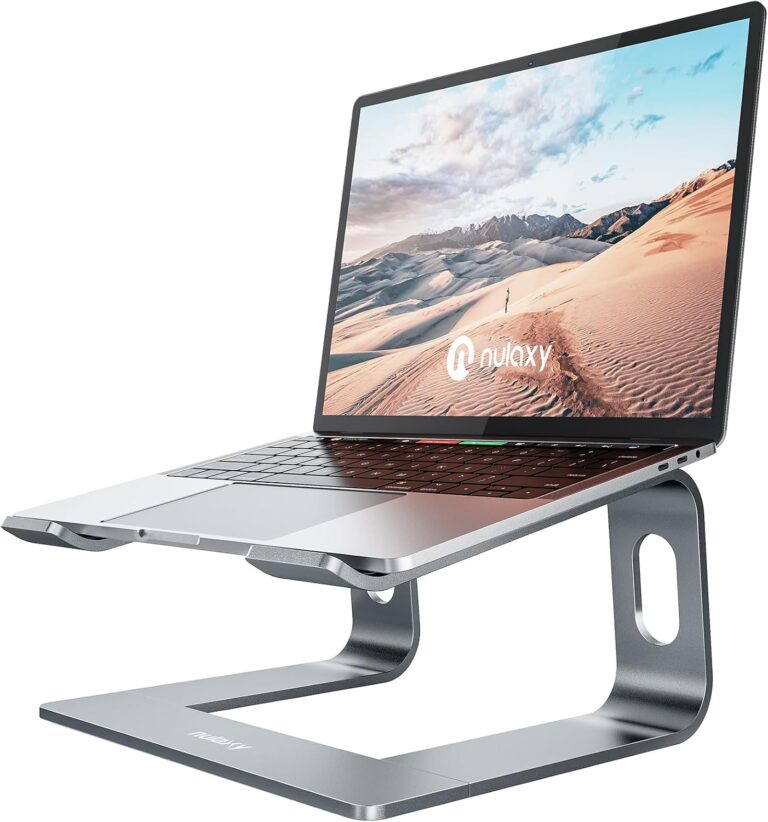 Objects shown to illustrate use are not a statement of included accessories; see the model and variant details. | C3 Grey / aluminum | Check laptop dimensions, weight and the support points. Raising the screen may call for a separate keyboard and mouse; the stand alone does not set up the whole workstation. |
Lamicall LN09 laptop stand Objects shown to illustrate use are not a statement of included accessories; see the model and variant details. | LN09 Silver / adjustable aluminum stand | Screen diagonal alone does not confirm a secure fit. Compare the computer's base dimensions and weight, and make sure the support does not obstruct its vents. |
Nulaxy C2 adjustable laptop stand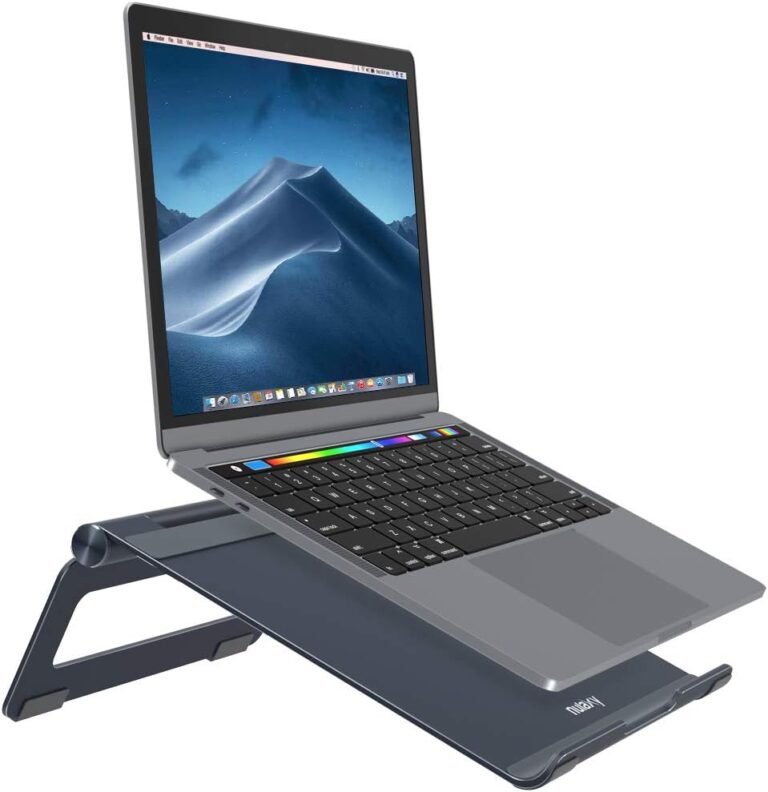 Laptop shown for use; not included. | C2 Space grey / folding aluminium stand | Check the dimensions and support points of your laptop before use. Published load and laptop-size limits differ between the current listing and Nulaxy’s article; those conflicting limits are not reproduced. The laptop in the photo is not included. |
Our top picks
Objects shown to illustrate use are not a statement of included accessories; see the model and variant details.
Nulaxy C3 laptop stand
An aluminum laptop stand in grey that raises the computer above the desk. The C3's open support format differs from the height-adjustable folding C5.
Variant: Grey / aluminum
Check laptop dimensions, weight and the support points. Raising the screen may call for a separate keyboard and mouse; the stand alone does not set up the whole workstation.
View product details →View on AmazonObjects shown to illustrate use are not a statement of included accessories; see the model and variant details.
Lamicall LN09 laptop stand
A silver aluminum laptop stand with adjustable positioning. The LN09 listing covers laptops from 10 to 17.3 inches, providing a raised support rather than an external display.
Variant: Silver / adjustable aluminum stand
Screen diagonal alone does not confirm a secure fit. Compare the computer's base dimensions and weight, and make sure the support does not obstruct its vents.
View product details →View on AmazonLaptop shown for use; not included.
Nulaxy C2 adjustable laptop stand
An adjustable desktop support that raises a laptop above the work surface. The folding frame is useful when the same desk is shared with other tasks.
Variant: Space grey / folding aluminium stand
Check the dimensions and support points of your laptop before use. Published load and laptop-size limits differ between the current listing and Nulaxy’s article; those conflicting limits are not reproduced. The laptop in the photo is not included.
View product details →View on AmazonBuyer's guide: what to look for in a laptop stand
Height range and adjustment
The most important spec is whether the stand raises the screen to the height that works for your seated desk setup. For many desk setups, a raise of 4 to 8 inches places the top of a 13–15 inch screen at approximately eye level. Adjustable stands offer a range of settings; fixed-height stands offer a single elevation. If you are not sure which height works for your desk, an adjustable stand gives you the ability to experiment without buying a second stand.
Laptop size compatibility
Confirm the stand’s stated size range covers your laptop. Stands typically list a minimum and maximum laptop screen size (for example, 10 to 17 inches). This refers to the diagonal screen measurement, not the overall chassis width. Also check the weight capacity — most aluminum stands comfortably handle laptops in the 3 to 8 pound range, but verify if you have a heavier workstation laptop.
Fixed height vs. adjustable
Fixed-height stands are simpler to set up, lighter, and often more stable at their single height. They work well if your desk and chair configuration are consistent. Adjustable stands allow you to change the height — useful if the desk is shared or if your seating changes. The tradeoff is that adjustable mechanisms add complexity and some flex at height.
Desk footprint
A laptop stand takes up surface area on the desk. Consider how much desk space remains after placing the stand, external keyboard, and mouse. For a small desk, a compact fixed-height riser or a foldable stand that can be put away when not in use maximizes available workspace when the laptop is not in use.
Frequently asked questions
Do I need an external keyboard if I use a laptop stand?
Yes, if you raise the laptop significantly. When a laptop is elevated on a stand, the built-in keyboard sits at a height that makes typing awkward for most desk setups. Pairing the stand with an external keyboard and mouse placed on the desk surface creates a practical workstation. If you only use the stand occasionally or for short periods, you may not need an external keyboard for every session.
What height should a laptop stand raise the screen to?
The ideal screen height is when the top of the screen is at or slightly below eye level when you are seated. For most people at a standard desk, this means raising the laptop 4 to 8 inches above the desk surface. An adjustable stand that covers a range of 4 to 12 inches gives you flexibility to find the right height for your seat and desk combination.
Are aluminum laptop stands better than plastic ones?
Aluminum stands are generally more stable at height and have an open design that allows air to circulate around the laptop base. Plastic stands can be more compact or lighter but may flex slightly under heavier laptops. For everyday home office use, either material works. Aluminum is more durable over time and holds its position better on a desk surface.
Can I use a laptop stand with any laptop brand?
Most laptop stands are designed to hold laptops by the base or hinge area and are compatible with the full range of laptop brands — MacBook, Dell, HP, Lenovo, ASUS, and others. The key constraint is the laptop size: check the stand’s listed size range against your laptop’s screen size, and verify the weight capacity is above your laptop’s weight.
What is the difference between a fixed-height and adjustable laptop stand?
A fixed-height stand holds the laptop at one set elevation. These are typically simpler, lighter, and less expensive. An adjustable-height stand lets you change the laptop elevation by a mechanism — pull-out legs, telescoping arms, or stepped notches. Adjustable stands are more flexible if you share the desk with someone of a different height or switch between sitting and standing work positions.