Best Dash Cams for Families: Front, Front+Rear, and Compact Picks for 2026
The best dash cams for families in 2026 — compact front cams, front-and-rear combos, and ultracompact picks. Honest guide: no fake ratings, no sponsored rankings.
In this guide
Affiliate Disclosure:
As an Amazon Associate I earn from qualifying purchases. We do not display live prices, ratings, or availability. Links open Amazon in a new tab.
Who This Guide Is For
This guide is for family drivers and everyday commuters who want a dash cam for practical documentation purposes — capturing what happens on the road ahead, recording a rear impact, or having footage available if something happens to the parked car. We focus on cameras that are reliable, straightforward to set up, and suited for daily use without constant maintenance.
We are not covering professional-grade multi-channel fleet systems, 360-degree interior cameras, or cameras marketed primarily for rideshare drivers. If you are looking for a straightforward family car dash cam, this guide is for you.
How We Chose These Dash Cams
We research, compare, and explain products based on use cases, specifications, public product information, and buyer needs. Our selection criteria for dash cams:
Recording coverage: Does the field of view realistically capture the full lane width and the car ahead?
Night performance: Does the camera use a capable sensor (such as STARVIS 2) or optical enhancements for low-light recording?
Ease of use: Can a typical driver install it in under 30 minutes and access footage without specialized software?
App and connectivity: Is the companion app reliable, and does WiFi transfer work without a dedicated hotspot?
Reliability: Category-proven models with established track records from identifiable brands.
Use case fit: Each pick serves a specific need — compact solo driver, full front-and-rear family setup, or ultra-discreet mounting.
5 Things to Know Before You Buy a Dash Cam
Dash Cam Buyer's Checklist
Front-only vs. front-and-rear is the first decision. A front-only cam covers the most common scenario. A front-and-rear combo (like the REDTIGER F7NP) adds documentation of what happens behind the car. The trade-off: rear cameras require routing a cable to the back window, which takes more installation effort.
Parking mode requires constant power. Parking mode records when the car is off, but the camera needs a trickle of power from the car’s fuse box — not just the 12V accessory outlet (which turns off with the ignition on most cars). A hardwire kit is a separate accessory for most cameras.
Memory card not included (usually). Most dash cams do not include a microSD card. A 64 GB or 128 GB high-endurance card is the standard recommendation. Standard SD cards can fail faster under the continuous read/write cycle of dash cam loop recording.
Loop recording means you never run out of storage. The camera continuously overwrites the oldest clips once full. Impact-detected clips and manually locked clips are protected from overwriting. You do not need to manually clear the card.
GPS records your route and speed — but is not required. Cameras with built-in GPS (Vantrue E1 Lite, REDTIGER F7NP) tag footage with location and speed data. This can be useful for incident documentation. It is not required for the camera to function, and some drivers prefer to omit GPS data for privacy reasons.
Quick Comparison Table
Product | Model & variant | Choosing |
|---|---|---|
Garmin Dash Cam Mini 2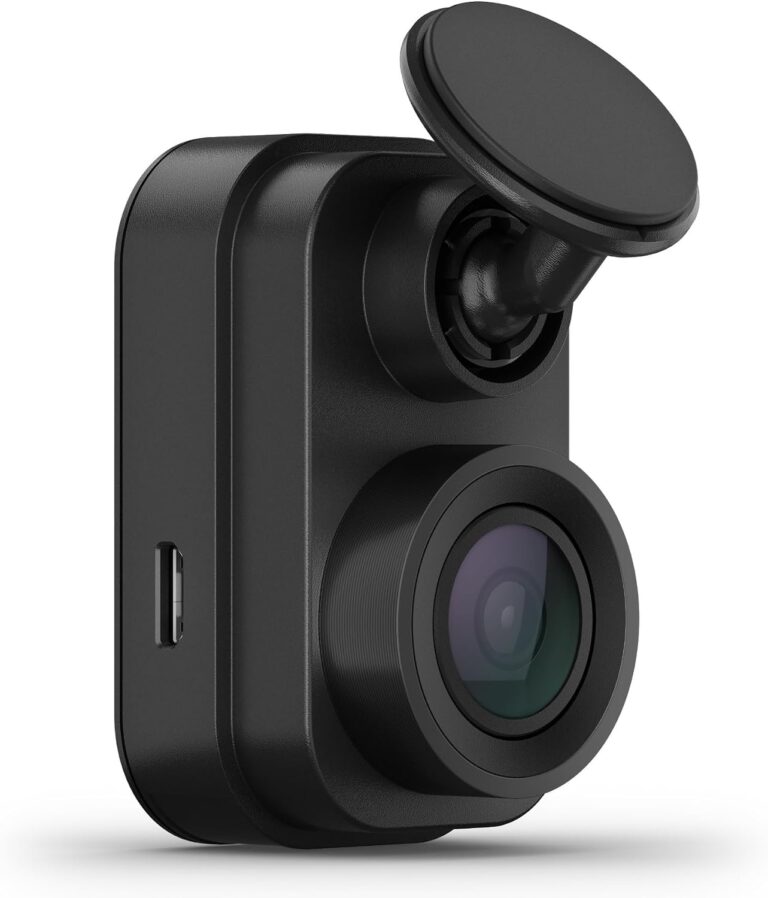 | 010-02504-00 Mini 2 / 1080p | Check memory-card requirements and power routing. Connected and parked-vehicle functions can depend on additional power or connectivity; verify their requirements before relying on them. |
REDTIGER F7NP front and rear dash cam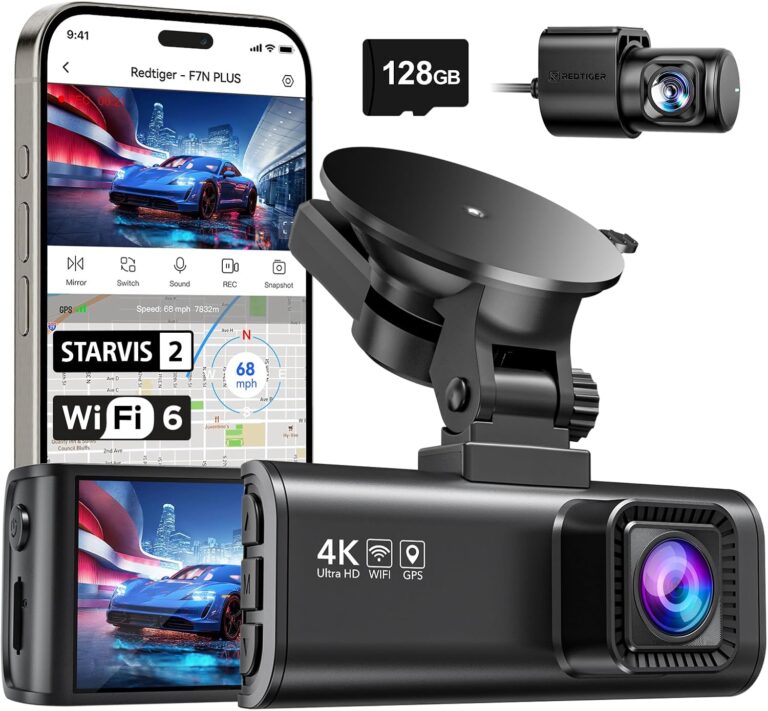 The phone illustrates the app and is not included. | F7NP F7NP / front and rear / current STARVIS 2 listing | Confirm the memory card and power accessories in the selected package. Parking recording depends on an appropriate power installation; check its requirements separately from normal driving recording. |
Vantrue E1 Lite dash cam The phone illustrates the app and is not included. | E1 Lite E1 Lite / 1080p / single camera | Check power routing and the memory-card specification before fitting it. Do not transfer higher-resolution or multi-camera specifications from other Vantrue E-series models to the E1 Lite. |
Our Top Picks for 2026
The phone illustrates the app and is not included.
Vantrue E1 Lite dash cam
A compact 1080p dash camera with Wi-Fi, identified as E1 Lite. It is a single-camera option to compare with systems that also include a rear camera.
Variant: E1 Lite / 1080p / single camera
Check power routing and the memory-card specification before fitting it. Do not transfer higher-resolution or multi-camera specifications from other Vantrue E-series models to the E1 Lite.
View product details →View on AmazonGarmin Dash Cam Mini 2
A compact dash camera identified as 010-02504-00, recording 1080p video with a 140-degree field of view. The Mini 2 focuses on a small camera body rather than an integrated viewing screen.
Variant: Mini 2 / 1080p
Check memory-card requirements and power routing. Connected and parked-vehicle functions can depend on additional power or connectivity; verify their requirements before relying on them.
View product details →View on AmazonThe phone illustrates the app and is not included.
REDTIGER F7NP front and rear dash cam
A two-camera dash-cam system with 4K front recording and a rear camera. The current F7NP listing describes a STARVIS 2 version; older F7NP documentation should not be used to assume the same sensor or accessory package.
Variant: F7NP / front and rear / current STARVIS 2 listing
Confirm the memory card and power accessories in the selected package. Parking recording depends on an appropriate power installation; check its requirements separately from normal driving recording.
View product details →View on AmazonBuyer's Guide: Resolution, Coverage, and Practical Setup
Resolution: 1080P vs. 4K — What You Actually Need
1080P (1920×1080) records license plates, road signs, and lane markings clearly under normal daylight conditions. For most family driving and commuting purposes, 1080P is fully sufficient. The Vantrue E1 Lite and Garmin Mini 2 both record at 1080P and produce footage that holds up well for documentation purposes.
4K recording (like the REDTIGER F7NP front channel) captures more detail — particularly useful for reading distant license plates at night or capturing finer detail in fast-moving situations. The trade-off is larger file sizes that fill memory cards faster. At 4K, a 128 GB card gives roughly 4–6 hours of continuous footage before loop recording overwrites older clips.
Single-Channel vs. Dual-Channel: Front Only vs. Front and Rear
A front-only dash cam covers the most common documentation scenario — capturing the car in front of you in a collision, documenting road hazards, and providing time-stamped footage of your driving route. For most family drivers, this is sufficient.
A dual-channel system (front + rear) adds rear window coverage. This is particularly useful for documenting rear-end collisions where the other driver’s angle matters, and for parking mode footage of activity behind the parked car. The installation is more involved: the rear camera connects to the front unit via a long cable routed through the headliner and down the D-pillar.
Power and Parking Mode
All three cameras in this guide plug into the car’s 12V accessory outlet for normal driving use. The outlet powers the camera when the ignition is on. When the engine is off, the 12V outlet typically loses power — and so does the camera.
Parking mode requires a separate hardwire kit that connects the camera to the car’s fuse box, supplying a trickle of power when the car is parked. The Vantrue E1 Lite supports this with an optional hardwire kit. If parking-lot documentation is important to you, factor in the cost of a hardwire kit and consider whether you want to install it yourself or have it done professionally.
Tip: Use a high-endurance microSD card.
Standard SD cards wear out faster under the constant read/write cycle of dash cam loop recording. Cards marketed as “high endurance” or “dash cam rated” (from brands like Samsung, SanDisk, or Lexar) are rated for many more write cycles and tend to last significantly longer in continuous-use applications. A 64 GB or 128 GB high-endurance card is the standard recommendation for family dash cam use.
Frequently Asked Questions
Do I need a front-only or front-and-rear dash cam?
A front-only dash cam records the road ahead, which covers the most common accident scenario. A front-and-rear combo adds coverage of the road behind the car. For most family driving, a front-only camera is sufficient. A dual-channel system is worth considering if you park in crowded areas or frequently have passengers in the rear seats.
What is parking mode on a dash cam?
Parking mode keeps the dash cam recording (or on standby) when the car engine is off. Most implementations trigger a short clip when the camera detects motion or a physical impact near the parked car. Parking mode typically requires a hardwire kit connecting the camera to the car’s fuse box for a trickle of power, since the standard 12V accessory outlet turns off with the ignition on most vehicles.
What microSD card size do I need for a dash cam?
Most dash cams support cards from 32 GB to 512 GB. At 1080P, a 64 GB card stores roughly 8–10 hours of footage before loop recording overwrites the oldest clips. At 4K, storage fills faster — 128 GB is the practical minimum. Use a high-endurance card rated for dash cam use rather than a standard SD card.
How does loop recording work?
Loop recording means the dash cam continuously overwrites the oldest clips once the memory card is full. The camera records in short segments (typically 1, 3, or 5 minutes). Clips locked manually or automatically by the G-sensor during an impact are protected from overwriting. The camera runs indefinitely without you needing to manage storage.
Is a dash cam difficult to install?
Most dash cams plug into the 12V accessory outlet and attach to the windshield with a suction cup or adhesive mount — this takes under 10 minutes. Routing the power cord cleanly along the headliner trim adds another 15–20 minutes. Hardwire installation for parking mode involves connecting to the fuse box and is more involved; many drivers have this done at a car audio shop.